
Filming Dusty Coastlines with Inspire 3: A Field Case Study
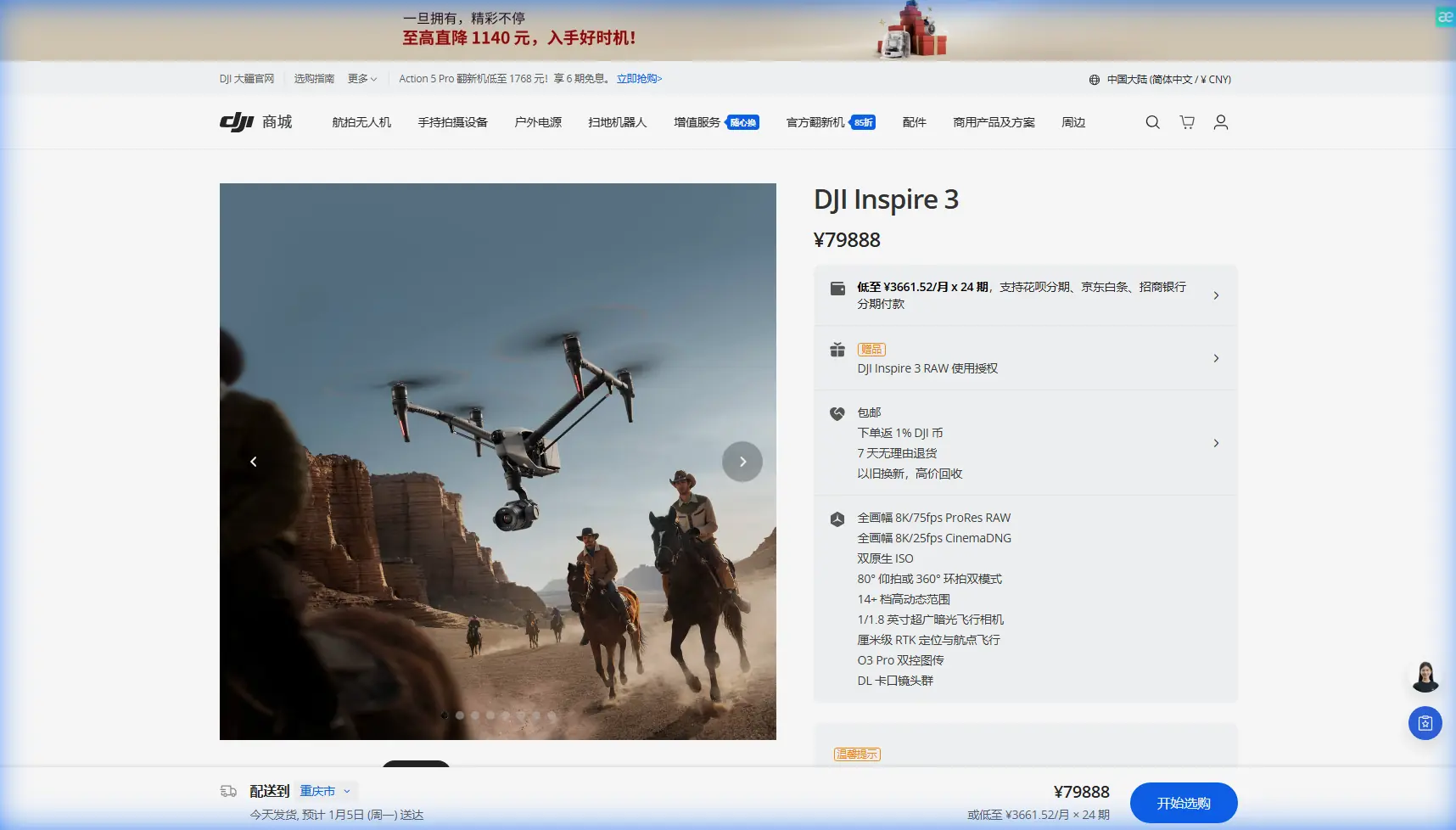
Filming Dusty Coastlines with Inspire 3: A Field Case Study in Reliability, Range, and Small Details That Matter
META: A practical Inspire 3 case study for dusty coastline shoots, covering antenna positioning, hot-swap battery workflow, transmission discipline, and why material and unit details matter in real operations.
Coastline work looks cinematic from a distance. On site, it is usually a negotiation with salt mist, abrasive dust, unstable wind, glare, and constantly changing launch positions. Those conditions expose weak habits fast. They also reward crews who understand that a premium aircraft like the Inspire 3 performs best when the operation around it is equally disciplined.
This case study is built around a common reader scenario: filming a dusty coastline with Inspire 3 for commercial production. Not a spec-sheet recap. Not a generic “tips and tricks” list. The point is to look at the less glamorous variables that shape whether the aircraft delivers clean footage all day or becomes a maintenance project by lunch.
I’ll use two technical reference themes as anchors. The first comes from aircraft material data on high-pressure hose rubber compounds, including aging, hardness, elongation, ozone resistance, and brittleness performance. The second comes from aeronautical unit conversion tables, including speed, angular velocity, and pressure notation. On paper, those topics sound far removed from an Inspire 3 shoot. In the field, they are directly tied to reliability and decision quality.
The coastline problem is not only wind
Most Inspire 3 operators prepare for wind. Fewer prepare properly for dust plus salt plus repeated setup changes. On a coastline with dry access roads, every vehicle movement can throw fine particulate into the air. Add sea spray and you get a harsh mix: abrasive solids and corrosive moisture landing on moving parts, connectors, landing surfaces, cases, and crew gear.
The operational consequence is simple. You are not only protecting image quality. You are protecting every soft interface in the system: seals, cable jackets, battery contact areas, gimbal protection workflow, and transport routines between locations.
That is where the material reference becomes useful.
In the aircraft materials handbook, one high-pressure hose rubber data set shows brittleness temperatures down to -50°C to -55°C, hardness values around Shore A 62 to 75, and ozone aging performance showing no cracks after 6 hours and no visible cracking after 72 hours at 1 Pa ozone concentration. Another set reports vulcanization time at 143°C of 30 minutes and tensile-strength figures around 11.3 to 12.8 MPa with elongation values like 233, 331, 239, 345, 241, and 337 percent.
You do not need to be formulating elastomers for that data to matter.
What it tells a drone crew is that aviation-grade flexible materials are judged by how they survive repeated deformation, environmental attack, and long-term aging—not by how they look when new. For Inspire 3 coastline work, that mindset changes behavior. You stop treating soft parts and cable paths as secondary. You begin inspecting them as mission-critical wear items.
What that means on an Inspire 3 set
Inspire 3 is a highly integrated platform. But integration can create complacency. Operators often focus on props, batteries, lens changes, and firmware while overlooking the slower failure points around transport strain and contamination.
On dusty coastal jobs, I advise crews to watch four things with almost obsessive consistency:
1. Cable routing and repeated bend points
Any repeated packing and unpacking cycle creates stress memory in cables and protective sleeves. The material reference’s elongation figures—well above 200 percent in some samples—highlight a basic truth: flexibility is measurable, but fatigue still accumulates. If your monitor, RTK, charger, SSD workflow, or video accessories are always folded at the same point, expect premature wear.
For Inspire 3 crews, this matters because transmission confidence tends to be blamed on “signal conditions” when the real issue is often human-made: damaged or strained support hardware, contaminated connectors, or sloppy setup.
2. Dust management around connection points
A hose compound tested for medium resistance and ozone aging is designed for abuse. Your field accessories often are not. Fine coastal dust can seat itself in charging interfaces, landing surfaces, and case foam, then migrate into places you only notice later.
The operational fix is not complicated:
- establish a clean zone for battery changes
- keep lens and payload changes off the ground
- use separate cloths for salt moisture and dry particulate
- inspect before insertion, not after an error message
That last point sounds obvious, yet it saves shoots.
3. Heat and storage discipline
The handbook data includes aging coefficients measured after exposure at 90°C, 110°C, 130°C, and 150°C for 24 hours, with clear property degradation at higher temperatures. No, your Inspire 3 is not a rubber test coupon. But the lesson is transferable: environmental heat compounds aging. A black case sitting in the sun next to reflective sand can create a much harsher microclimate than the ambient air suggests.
For hot-swap battery operations, this is significant. Hot-swap batteries help keep your production moving, but they also tempt teams into rushing battery rotations without enough thermal awareness. Do not leave packs baking while the crew resets composition. Rotate them through shade, label usage order, and keep your charging area isolated from drifting dust.
4. Ozone, salt, and long-term surface degradation
The ozone-aging result—no crack at 6 hours, no visible crack at 72 hours—illustrates how serious aerospace durability testing can be. Coastal crews should borrow that long-view attitude. Even when the aircraft appears fine after a single day, repeated salt-air exposure shortens the life of neglected components.
A practical routine is to log coastline days separately from inland days. That gives you a maintenance cue for deeper inspections, especially after consecutive marine shoots.
Antenna positioning advice for maximum range
Now to the part many operators ask about first: transmission.
Inspire 3 crews working coastlines often assume open shoreline means easy long-range performance. Sometimes yes. Sometimes absolutely not. Water reflections, cliff geometry, vehicle placement, and body blocking can all degrade link quality in ways that feel inconsistent unless you are careful about antenna geometry.
Here is the field rule I teach: treat antenna orientation as a live part of the shot, not a one-time setup step.
If you are using the controller in a moving ground position along a coast path, do this:
- Keep the controller antennas broadside to the aircraft rather than pointing the antenna tips directly at it.
- Re-evaluate your stance after every major pan in the aircraft’s heading or every relocation of the pilot.
- Avoid standing next to vehicles, metal railings, or wet rock walls when you need maximum O3 transmission stability.
- If the aircraft is flying low along a cliff edge, move to preserve line-of-sight through the expected arc of the shot, not merely the takeoff point.
- Do not let a camera operator, producer, or spotter physically block the controller during the farthest segment of the route.
This is one of those small details that has outsized operational significance. A clean antenna posture can mean the difference between stable monitoring and unnecessary hesitation during a complex lateral tracking shot.
And if the production needs a pre-shoot workflow review, I usually suggest crews send the planned launch geometry and coastline layout beforehand through this field coordination chat so antenna placement, fallback positions, and battery swap points can be mapped before arrival.
Why unit discipline still matters with a modern drone
The second reference document is a unit conversion table. At first glance, that looks academic. It is not.
Coastline drone work regularly breaks down because teams mix units unconsciously. Wind may be briefed in meters per second, marine forecasts in knots, vehicle speed limits in kilometers per hour, and a foreign DP may think in miles per hour. The reference table reminds us that 1 m/s equals 3.6 km/h and 1.94384 knots, while 1 knot equals 1.852 km/h.
On an Inspire 3 job, these conversions matter operationally in at least three ways.
Wind interpretation
If a local marine report says 18 knots and your crew mentally translates that poorly, your risk picture is wrong from the start. Coastal air can accelerate around terrain and through gaps. An error of only a few units can change whether a low-altitude reveal remains smooth or becomes a fight against drift.
Vehicle-to-aircraft coordination
When tracking shoreline assets from service roads or boats, speed calls must be unambiguous. “Hold at 10” means nothing if one person means mph and another means m/s. I have seen otherwise competent teams burn flight time just reconciling verbal shorthand.
Yaw and gimbal movement planning
The same table also includes angular velocity conversions such as 1 rad/s = 57.2958 degrees/s and 1 revolution per minute = 6 degrees/s. That is useful when planning smooth rotational movement in relation to subject speed and coastline geometry. If a director asks for a slower reveal during a curving pass, understanding rate in degrees per second helps the pilot and camera operator speak the same language.
This level of precision is not bureaucracy. It is how you produce repeatable shots.
A realistic coastline workflow with Inspire 3
On a recent style of mission like this—commercial coastline footage for tourism and real estate branding—the best Inspire 3 workflow usually looks less glamorous than people expect.
You scout launch points not only for view, but for:
- clean footing for landing
- distance from dust plumes caused by arriving vehicles
- sun angle during battery swaps
- controller line-of-sight across the whole move
- a backup takeoff spot if the tide or public foot traffic changes conditions
Then you stage the operation in layers.
Layer one: clean technical zone.
Batteries, media, lenses, cloths, tools. No drinks, no loose debris, no unnecessary foot traffic.
Layer two: pilot transmission zone.
Antenna posture checked. Spotter positioned so they do not shield signal. Screen visibility managed before the first flight.
Layer three: movement envelope.
Where the aircraft will actually work in relation to cliffs, surf, roads, and visual landmarks.
Inspire 3’s hot-swap battery capability becomes especially valuable here because it reduces reset time between takes. On coastline work, that means you can exploit short windows when haze clears or wave rhythm improves without fully powering down the rhythm of the set. But speed only helps if your battery change area stays clean. Otherwise, you trade time savings for contamination risk.
Where thermal signature and photogrammetry fit in
Not every coastline Inspire 3 mission is purely cinematic. Some hybrid jobs combine visual capture with site documentation, progress records, or terrain context for planning. That is where adjacent concepts like thermal signature review, photogrammetry, and GCP discipline enter the conversation.
If a production team is also gathering survey-grade reference material nearby, be careful about workflow contamination between cinema tempo and mapping tempo. Mapping wants consistency, overlap, and control. Cinema wants adaptive movement and aesthetic timing. Do not blur the two without planning.
GCP placement must stay free of sand disturbance and be recorded in consistent units. Again, the conversion reference matters more than people assume. A bad unit handoff can quietly compromise a data set.
As for thermal signature, dusty coastlines heat unevenly across rock, sand, vegetation, and built surfaces. Even when thermal capture is handled by a different platform, the Inspire 3 crew benefits from understanding those temperature-driven air movements because they can affect low-altitude stability and lens environment.
Security and data hygiene on location
High-end coastal shoots often involve embargoed projects: resorts, private developments, infrastructure, or commercial campaigns before launch. In that context, transmission quality is only one side of the link equation. Secure handling matters too.
If your workflow involves O3 transmission and protected data pipelines such as AES-256-based security practices in adjacent systems, keep the discipline consistent across the production chain. The strongest airborne platform can still be undermined by casual media handling, shared devices, or unstructured file transfers at the beach.
The real lesson from the reference data
The most useful takeaway from the source materials is not the literal existence of a rubber compound with Shore A hardness around 75 or 65, or the exact conversion from meters per second to knots. It is the engineering attitude behind those numbers.
Aviation reliability is built on quantified behavior:
- how materials change after heat
- how surfaces endure ozone
- how deformation accumulates
- how units are standardized so teams do not misread conditions
That same attitude is what makes Inspire 3 shine on a dusty coastline.
The crews who get the best results are rarely the ones chasing heroic range claims or trying to improvise every shot at the edge of conditions. They are the ones who protect the small systems around the aircraft: the connectors, the battery workflow, the line-of-sight geometry, the maintenance log, the unit language, the launch surface, the spare cloths, the shadow over the charging case.
Beautiful footage comes from that discipline more often than from daring.
If you are planning an Inspire 3 coastline project, start there.
Ready for your own Inspire 3? Contact our team for expert consultation.