
Inspire 3: Master Mountain Filming Like a Pro
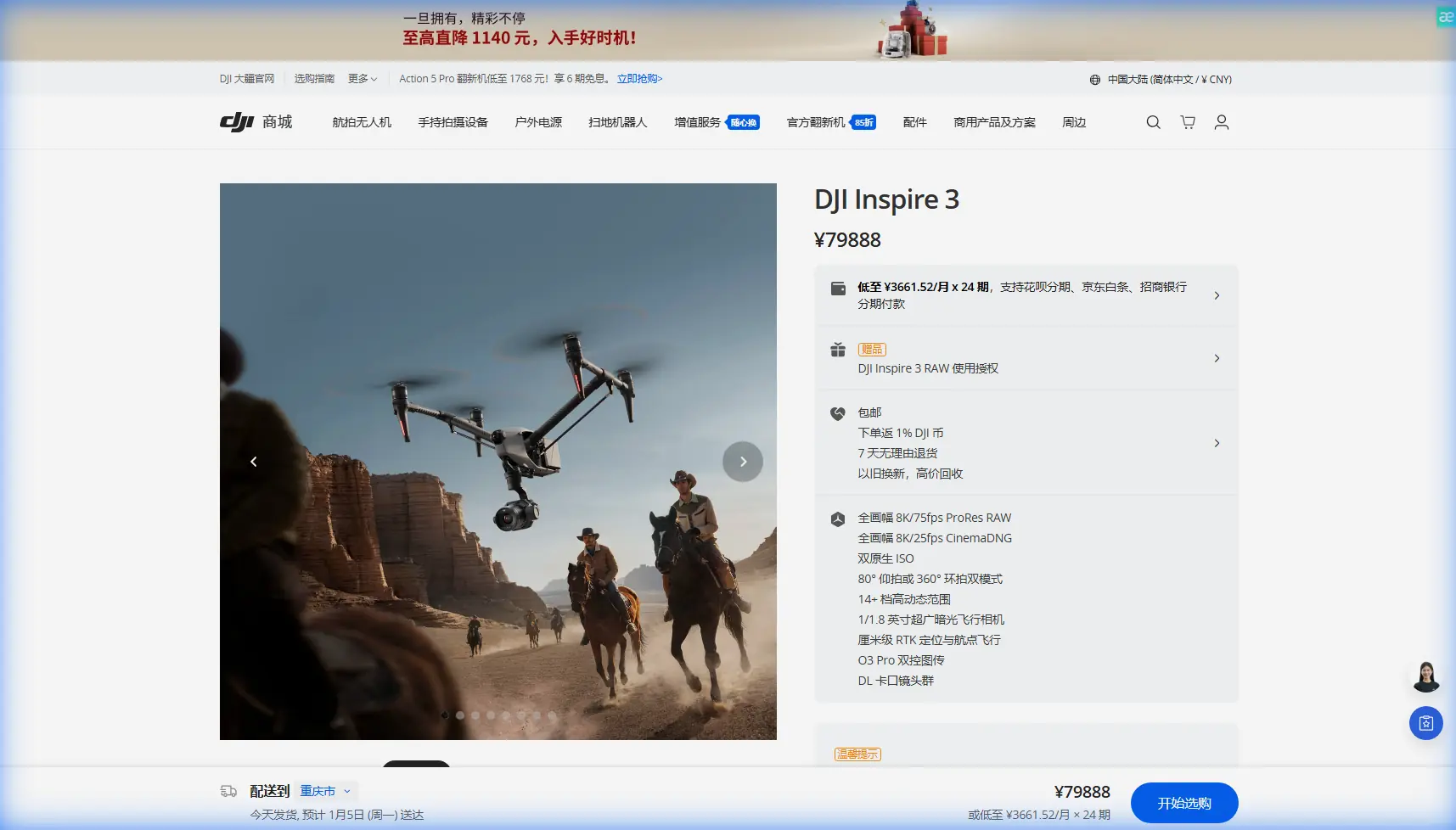
Inspire 3: Master Mountain Filming Like a Pro
META: Discover how the DJI Inspire 3 transforms mountain cinematography with 8K RAW, O3 transmission, and dual-operator control for stunning aerial footage.
TL;DR
- 8K RAW recording at 75fps captures mountain landscapes with unprecedented detail and dynamic range
- O3 transmission maintains stable 20km video feed even in challenging alpine terrain with proper antenna positioning
- Hot-swap batteries enable continuous filming sessions up to 28 minutes per flight cycle
- Dual-operator mode separates flight control from gimbal operation for complex tracking shots in rugged environments
Why Mountain Cinematography Demands the Inspire 3
Filming in mountainous terrain punishes lesser drones. Unpredictable winds, dramatic elevation changes, and signal-blocking ridgelines destroy footage quality and crash aircraft. The DJI Inspire 3 addresses every mountain filming challenge with professional-grade solutions that production teams actually need.
This technical review breaks down exactly how the Inspire 3 performs in alpine environments, including critical antenna positioning techniques that maximize your transmission range when peaks and valleys threaten to cut your signal.
The Full-Frame Advantage in High-Altitude Environments
The Inspire 3's Zenmuse X9-8K Air gimbal camera changes mountain cinematography fundamentally. Its full-frame 35.6mm x 23.1mm sensor captures 14+ stops of dynamic range, handling the extreme contrast between shadowed valleys and snow-capped peaks that destroys footage from smaller sensors.
Key Imaging Specifications
- 8K resolution at 24/25/30fps in CinemaDNG RAW
- 8K at 75fps in Apple ProRes RAW HQ
- Dual native ISO at 320 and 2500 for low-light flexibility
- Internal ProRes 422 HQ recording eliminates external recorder weight
Expert Insight: When filming snow-covered peaks, the dual native ISO system proves invaluable. Switch to ISO 2500 when tracking subjects moving between bright snowfields and shadowed rock faces—you'll maintain clean shadows without blowing highlights.
The interchangeable lens system accepts DL-mount lenses from 18mm to 80mm, giving cinematographers creative control impossible with fixed-lens drones. For establishing shots across mountain ranges, the 18mm f/2.8 captures sweeping vistas. Switch to the 24mm f/2.8 for tighter compositions on specific peaks or the 35mm f/2.8 for subject-focused work.
O3 Transmission: Conquering Mountain Signal Challenges
Mountains create the worst possible environment for drone transmission. Rock faces reflect signals unpredictably. Valleys block line-of-sight. Metal ore deposits in certain formations cause interference. The Inspire 3's O3 transmission system addresses these challenges with redundant signal paths and intelligent frequency management.
Transmission Specifications
| Parameter | Specification |
|---|---|
| Maximum Range | 20km (unobstructed) |
| Live View Quality | 1080p/60fps |
| Latency | 90ms (typical) |
| Frequency Bands | 2.4GHz / 5.8GHz dual-band |
| Encryption | AES-256 |
Antenna Positioning for Maximum Mountain Range
Signal strength in alpine terrain depends entirely on antenna orientation. The Inspire 3 controller's antennas must maintain perpendicular alignment to the aircraft—not pointed directly at it, as many operators incorrectly assume.
Critical positioning protocol:
- Keep antenna flat surfaces facing the drone's general direction
- Maintain antennas at 45-degree angles from vertical when aircraft operates below your elevation
- Rotate your body position rather than bending antennas when tracking moving subjects
- Position yourself on ridgelines when possible to maintain line-of-sight across valleys
Pro Tip: Before complex mountain shoots, perform a signal mapping flight. Fly your planned route at reduced speed while monitoring transmission strength. Mark weak zones on your shot list and plan critical footage captures for strong-signal areas.
When operating BVLOS (Beyond Visual Line of Sight) in mountainous terrain—where regulations permit—the O3 system's automatic frequency switching becomes essential. The system detects interference and switches between 2.4GHz and 5.8GHz bands without operator intervention, maintaining connection when single-frequency systems would fail.
Hot-Swap Batteries: Extended Mountain Sessions
Mountain filming locations often require hours of hiking to reach. Every minute of flight time matters when you've invested significant effort reaching a location. The Inspire 3's TB51 Intelligent Flight Batteries deliver 28 minutes of flight time, and the hot-swap system means you never fully power down between batteries.
Battery Management Strategy
- Carry minimum 4 battery sets for serious mountain work
- Pre-warm batteries in insulated cases during cold-weather shoots
- The hot-swap window provides approximately 45 seconds for battery changes
- Monitor individual cell voltages through DJI Pilot 2 for early degradation detection
Temperature affects lithium batteries dramatically. At -10°C, expect approximately 15-20% capacity reduction. The Inspire 3's battery heating system activates automatically below 15°C, but pre-warming batteries against your body or in vehicle heating vents before flight maximizes available power.
Dual-Operator Mode for Complex Mountain Shots
Solo operation limits creative possibilities in challenging terrain. The Inspire 3's dual-operator configuration separates flight control from camera operation, enabling shots impossible for single operators.
Workflow Advantages
Pilot responsibilities:
- Obstacle avoidance and flight path management
- Wind compensation and altitude maintenance
- Emergency response and return-to-home decisions
Gimbal operator responsibilities:
- Subject tracking and framing
- Focus pulling and exposure adjustment
- Lens changes and filter management
This separation proves critical when filming moving subjects—mountain bikers, climbers, or wildlife—against complex terrain. The pilot focuses entirely on safe navigation while the camera operator captures cinematic footage without flight distractions.
Photogrammetry Applications in Mountain Environments
Beyond cinematography, the Inspire 3 serves serious photogrammetry and mapping applications in alpine terrain. The 8K sensor captures sufficient detail for accurate 3D terrain modeling, while the aircraft's stability in wind enables consistent GCP (Ground Control Point) alignment.
Mapping Specifications
| Application | Recommended Settings |
|---|---|
| Terrain Modeling | 8K stills, 80% overlap, nadir angle |
| Cliff Face Documentation | 4K video, orbital flight path |
| Thermal Signature Analysis | Zenmuse H20T (compatible payload) |
| Vegetation Assessment | 8K stills, 70% sidelap |
For geological survey work, the combination of visual and thermal signature data reveals features invisible to standard imaging. Rock face instability, water seepage patterns, and subsurface void indicators become apparent when thermal data overlays high-resolution visual mapping.
Common Mistakes to Avoid
Ignoring wind gradient effects. Mountain winds accelerate through passes and around peaks. A calm launch site may sit below severe turbulence at your planned filming altitude. Always check conditions at multiple elevations before committing to complex shots.
Underestimating return power requirements. Flying downhill from your launch point feels efficient until you need to climb back. The Inspire 3's return-to-home function calculates required power, but manual override in pursuit of "one more shot" strands aircraft regularly.
Neglecting lens condensation. Rapid altitude changes cause lens fogging. Carry silica gel packets and allow equipment to acclimate when moving between significantly different elevations. The Inspire 3's sealed gimbal helps, but external lens elements still fog.
Poor pre-flight compass calibration. Mountain terrain contains magnetic anomalies from ore deposits. Calibrate compass at your actual launch location, not at the trailhead parking area. Recalibrate if you move more than 100 meters to a new launch point.
Single-battery mentality. Arriving at a remote location with only two battery sets guarantees disappointment. Equipment failures, unexpected wind, and creative opportunities all demand reserve power. Four battery sets minimum for serious mountain work.
Frequently Asked Questions
How does the Inspire 3 handle high-altitude thin air?
The Inspire 3 operates effectively to 7000 meters above sea level. Reduced air density decreases lift efficiency, shortening flight times by approximately 10-15% at extreme altitudes. The flight controller automatically compensates for density altitude, adjusting motor output to maintain stability. Plan for 23-24 minutes of realistic flight time above 4000 meters.
Can I fly the Inspire 3 in mountain snow conditions?
The Inspire 3 carries an IP54 rating, providing protection against dust and water spray. Light snow presents no operational issues, but heavy precipitation or landing in snow risks moisture intrusion. Avoid flying through active snowfall, and always dry the aircraft thoroughly after cold-weather operations. The gimbal's heated elements prevent lens icing during flight.
What backup systems exist if transmission fails in remote terrain?
The Inspire 3 includes multiple failsafe layers. If transmission drops, the aircraft automatically initiates return-to-home after a configurable delay (default 20 seconds). The RTH altitude should be set above the highest obstacle in your operating area. Additionally, the aircraft stores its flight path and can retrace its route if GPS-based RTH proves impossible. Always set a conservative RTH altitude before mountain operations—terrain clearance matters more than battery efficiency.
Written by James Mitchell, aerial cinematography specialist with over 400 mountain filming missions across six continents.
Ready for your own Inspire 3? Contact our team for expert consultation.