
Inspire 3: Filming Fields in Dusty Conditions
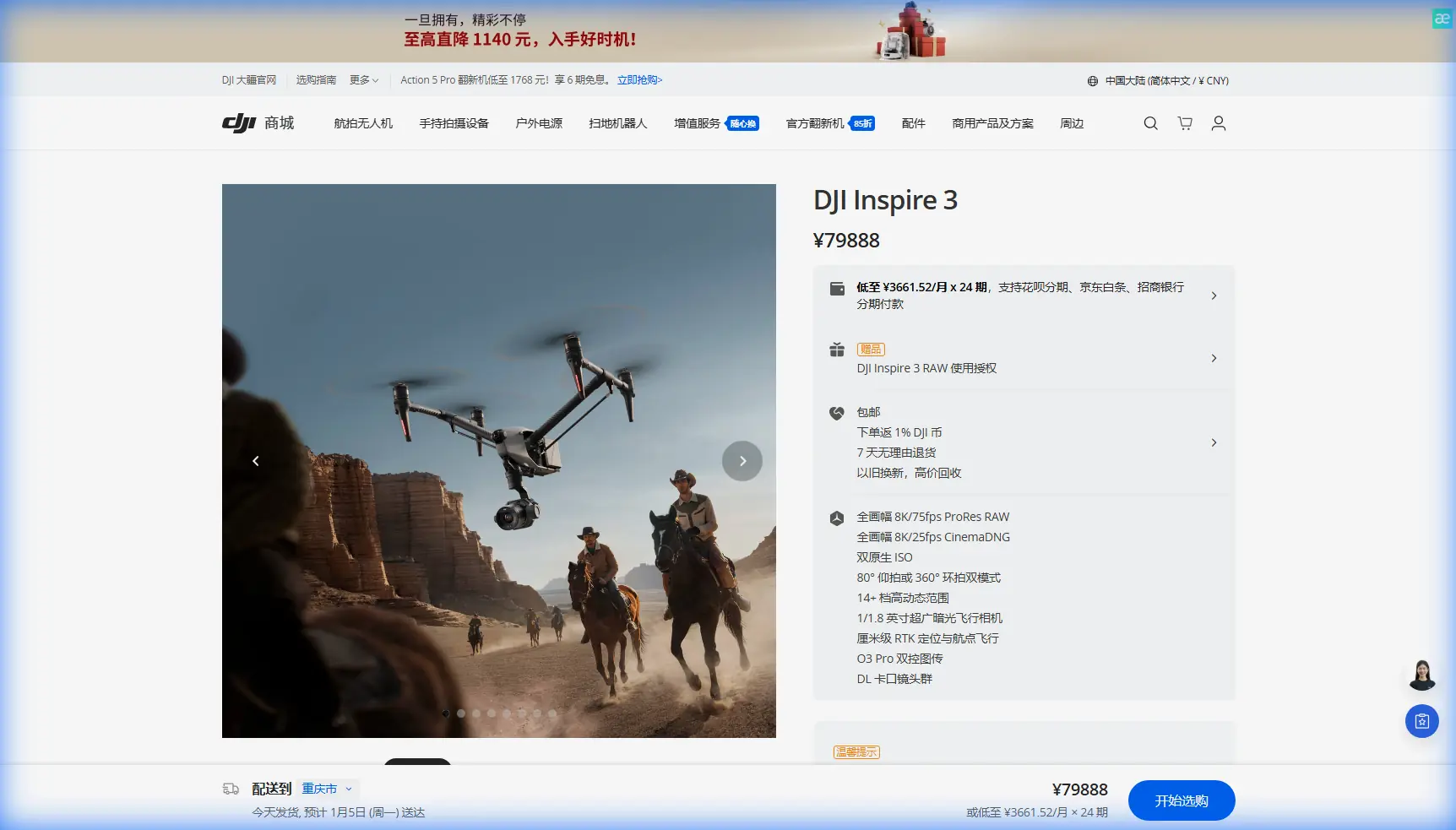
Inspire 3: Filming Fields in Dusty Conditions
META: Learn how the DJI Inspire 3 handles dusty field filming with pre-flight cleaning protocols, O3 transmission, and hot-swap batteries for uninterrupted aerial shoots.
By Dr. Lisa Wang, Aerial Cinematography & Drone Systems Specialist
TL;DR
- Pre-flight sensor cleaning is non-negotiable in dusty environments—skipping it compromises obstacle avoidance and camera quality.
- The Inspire 3's O3 transmission system maintains a stable video link even when airborne particulates degrade signal integrity.
- Hot-swap batteries allow continuous shooting across large agricultural fields without powering down and exposing internals to dust.
- Proper GCP placement and photogrammetry workflows turn dusty field footage into precise, survey-grade deliverables.
Why Dusty Field Filming Breaks Most Drones
Dust destroys drones silently. Fine particulate matter infiltrates gimbal motors, coats optical sensors, blocks cooling vents, and degrades the thermal signature accuracy that cinematographers and surveyors depend on. If you've ever pulled a drone out of a pelican case at a wheat harvest or a cotton field and launched without preparation, you've likely seen the consequences: soft footage, overheating warnings, and unreliable obstacle avoidance.
The DJI Inspire 3 was engineered for professional-grade production environments, but even a flagship platform requires disciplined pre-flight protocols when filming in dusty conditions. This guide walks you through every step—from cleaning procedures to transmission settings to post-processing—so your footage stays sharp and your aircraft stays airworthy.
Step 1: The Pre-Flight Cleaning Protocol That Protects Your Safety Systems
Before you even power on the Inspire 3 in a dusty environment, you need to establish a cleaning ritual. This isn't about aesthetics. It's about safety.
The Inspire 3 relies on a multi-directional vision system for obstacle detection and positioning. Dust accumulation on these sensors can cause:
- False obstacle warnings that interrupt automated flight paths
- Degraded visual positioning at low altitudes where GPS alone isn't sufficient
- Compromised BVLOS operations where sensor reliability is a regulatory requirement
Your Pre-Flight Cleaning Checklist
- Wipe all vision sensors with a microfiber cloth dampened with lens cleaning solution—never dry-wipe, as dust particles scratch coatings.
- Inspect and blow out the gimbal assembly using a rocket blower (not compressed air cans, which can deposit propellant residue).
- Check all ventilation ports on the aircraft body for particulate buildup that could cause overheating during sustained flight.
- Clean the FPV camera lens separately from the main Zenmuse X9-8K Air camera.
- Examine propeller root connections for grit that could cause vibration and jello effect in footage.
Expert Insight: I carry a transparent plastic storage bin to every dusty shoot. Between flights, the Inspire 3 goes into the bin with the lid sealed. It sounds low-tech, but this single habit has saved me more sensor cleanings and gimbal recalibrations than any other practice in 12+ years of aerial cinematography.
Step 2: Configuring O3 Transmission for Particulate-Heavy Air
The Inspire 3's O3 (OcuSync 3) transmission system operates on dual-band frequencies and supports a maximum transmission range of 20 km with 1080p/60fps real-time monitoring. In clean air, the system is practically bulletproof.
Dusty air introduces two specific challenges:
- Micro-signal scattering as particles interact with the transmission beam
- Increased electromagnetic noise near agricultural equipment (harvesters, tractors, irrigation controllers)
Recommended O3 Settings for Dusty Field Work
| Setting | Clean Air Default | Dusty Field Recommendation |
|---|---|---|
| Transmission Mode | Auto | Manual – 2.4 GHz |
| Channel Bandwidth | 40 MHz | 20 MHz (narrower = more robust) |
| Video Bitrate | Auto | Fixed at 30 Mbps |
| Antenna Orientation | Default | Perpendicular to flight path |
| Dual-Operator Mode | Optional | Enabled (dedicated camera operator monitors feed quality) |
Switching to 2.4 GHz with 20 MHz bandwidth reduces maximum throughput but dramatically improves signal penetration through dust-laden air. You sacrifice some real-time preview resolution, but the recorded footage on the internal CINESSD remains unaffected.
Step 3: Hot-Swap Battery Strategy for Continuous Coverage
Large agricultural fields demand extended flight times. The Inspire 3 supports hot-swap batteries, meaning you can replace one battery while the other keeps the aircraft systems alive—no full shutdown required.
This is critically important in dusty environments for one reason most operators overlook: every power cycle exposes the aircraft internals.
When the Inspire 3 powers down completely, cooling fans stop. When fans stop, internal pressure equalizes with the environment. In a dusty field, that equalization draws fine particulates into the airframe. Hot-swapping avoids this by keeping systems running and fans maintaining positive internal pressure.
Hot-Swap Best Practices
- Stage batteries in a sealed cooler to prevent dust contamination of contacts
- Clean battery terminals with a contact-safe electronics wipe before each insertion
- Swap within 60 seconds to avoid taxing the remaining battery
- Never hot-swap with fewer than 3 batteries in rotation for a full day of shooting
- Monitor individual cell voltages post-flight, as dust-contaminated contacts can cause uneven charging
Pro Tip: Label your batteries with colored tape and log swap times in a spreadsheet. In dusty conditions, battery contact degradation happens 3x faster than in clean environments. Tracking cycles per battery helps you identify failing units before they cause a mid-air power interruption.
Step 4: Camera and Gimbal Setup for Dusty Atmospherics
Dust in the air isn't always your enemy. Experienced cinematographers use atmospheric haze and golden-hour dust clouds to create stunning, cinematic depth in agricultural footage. The key is controlling the variables.
The Inspire 3's Zenmuse X9-8K Air sensor captures 8K RAW at up to 75fps, giving you extraordinary latitude in post-production to manage haze and contrast.
Recommended Camera Settings for Dusty Fields
- Shoot in CinemaDNG RAW or Apple ProRes RAW to retain maximum highlight and shadow detail through haze
- Set white balance manually to 5600K—auto white balance struggles with dust-scattered light
- Use an ND filter (ND16 or ND32 for daytime) to maintain a 180-degree shutter angle even in bright, reflective field conditions
- Enable D-Log or D-Gamut color science for the flattest possible image profile
- Set focus to manual and use the DJI Master Wheels or the RC Plus focus wheel—autofocus hunts in low-contrast dusty scenes
Thermal Signature Considerations
If you're pairing the Inspire 3 with a thermal payload for crop health analysis or livestock monitoring, dust affects thermal signature readings. Suspended particles absorb and re-emit infrared radiation, creating a "thermal fog" that reduces contrast between targets and background.
To mitigate this:
- Fly below 50 meters AGL to minimize the air column between sensor and subject
- Shoot thermal passes during early morning hours when dust has settled overnight
- Apply atmospheric correction coefficients in your thermal processing software
Step 5: Photogrammetry and GCP Workflow in Dusty Terrain
For operators using the Inspire 3 to create orthomosaics or 3D photogrammetric models of agricultural land, ground control points (GCPs) require special attention in dusty conditions.
GCP Placement Guidelines
| Factor | Standard Practice | Dusty Field Adjustment |
|---|---|---|
| GCP Material | Printed targets on coroplast | Reflective aluminum targets (resist dust coating) |
| Placement Density | 5-8 per 100 hectares | 8-12 per 100 hectares (compensate for reduced contrast) |
| Survey Timing | Any time | Within 2 hours of GCP placement (before dust covers targets) |
| Target Size | 30 cm × 30 cm | 50 cm × 50 cm (visibility through haze) |
| Color | Black and white | Orange and white (higher contrast against brown fields) |
When processing photogrammetry data captured in dusty conditions, expect 15-25% more tie-point failures compared to clean-air captures. Increase your front and side overlap to 80/70% respectively to compensate.
Step 6: Data Security with AES-256 Encryption
Agricultural clients—especially large commercial operations—are increasingly sensitive about aerial data security. Crop health maps, yield estimates, and irrigation assessments represent proprietary intelligence.
The Inspire 3 supports AES-256 encryption for all stored and transmitted data. In dusty field operations where you may be working across multiple client properties in a single day:
- Enable AES-256 encryption on the CINESSD before each shoot
- Format the SSD between clients to ensure no data cross-contamination
- Use DJI's secure data transfer protocols when uploading to cloud processing platforms
- Maintain chain-of-custody logs for the physical SSD media
Common Mistakes to Avoid
1. Launching without sensor cleaning. This is the single most common cause of equipment failure in dusty environments. A 30-second wipe-down prevents a multi-thousand-dollar repair.
2. Using compressed air cans on the gimbal. The propellant in canned air leaves residue that attracts more dust. Always use a manual rocket blower.
3. Ignoring wind patterns. Launching downwind of a working harvester means flying through the densest dust plume. Always position your launch site upwind of active field operations.
4. Running auto white balance. Dust-scattered light shifts color temperature unpredictably. Lock your white balance manually and correct in post.
5. Skipping BVLOS risk assessments. Even if your operation is certified for BVLOS flight, dusty conditions reduce visual acquisition range. Adjust your operational risk assessment for every flight, not just the first one.
6. Storing batteries uncovered between flights. Dust on battery contacts creates resistance, which generates heat, which accelerates degradation. Always use a sealed storage container.
Frequently Asked Questions
How often should I clean the Inspire 3's vision sensors during a dusty field shoot?
Clean all vision sensors before every flight. If you're operating in actively disturbed dust—such as near harvesting equipment—inspect sensors at each battery swap. A single grain of sand in the wrong position can blind a downward vision sensor and disable low-altitude positioning, creating a genuine safety hazard.
Can the Inspire 3 fly in sandstorm or high-dust-density conditions?
DJI rates the Inspire 3 for operation in wind speeds up to 12 m/s. There is no official IP-rated dust resistance. If visibility drops below 3 km due to dust or sand, ground the aircraft. The risk to mechanical components—especially the exposed gimbal bearings and propeller motors—is not worth the footage. Plan your shoot schedule around early morning calm windows when particulate levels are lowest.
Does dust affect the O3 transmission range?
Yes, but the impact is typically modest at operational distances under 5 km. Heavy dust can reduce effective range by 10-20% compared to clean-air benchmarks. Switching to 2.4 GHz with 20 MHz channel bandwidth and maintaining clear line-of-sight between the remote controller antenna and the aircraft minimizes signal degradation. Always monitor the transmission quality indicator on the RC Plus screen and set automatic RTH triggers at 70% signal strength rather than the default 30%.
Ready for your own Inspire 3? Contact our team for expert consultation.