
Inspire 3 Filming Tips for Urban Forest Canopy
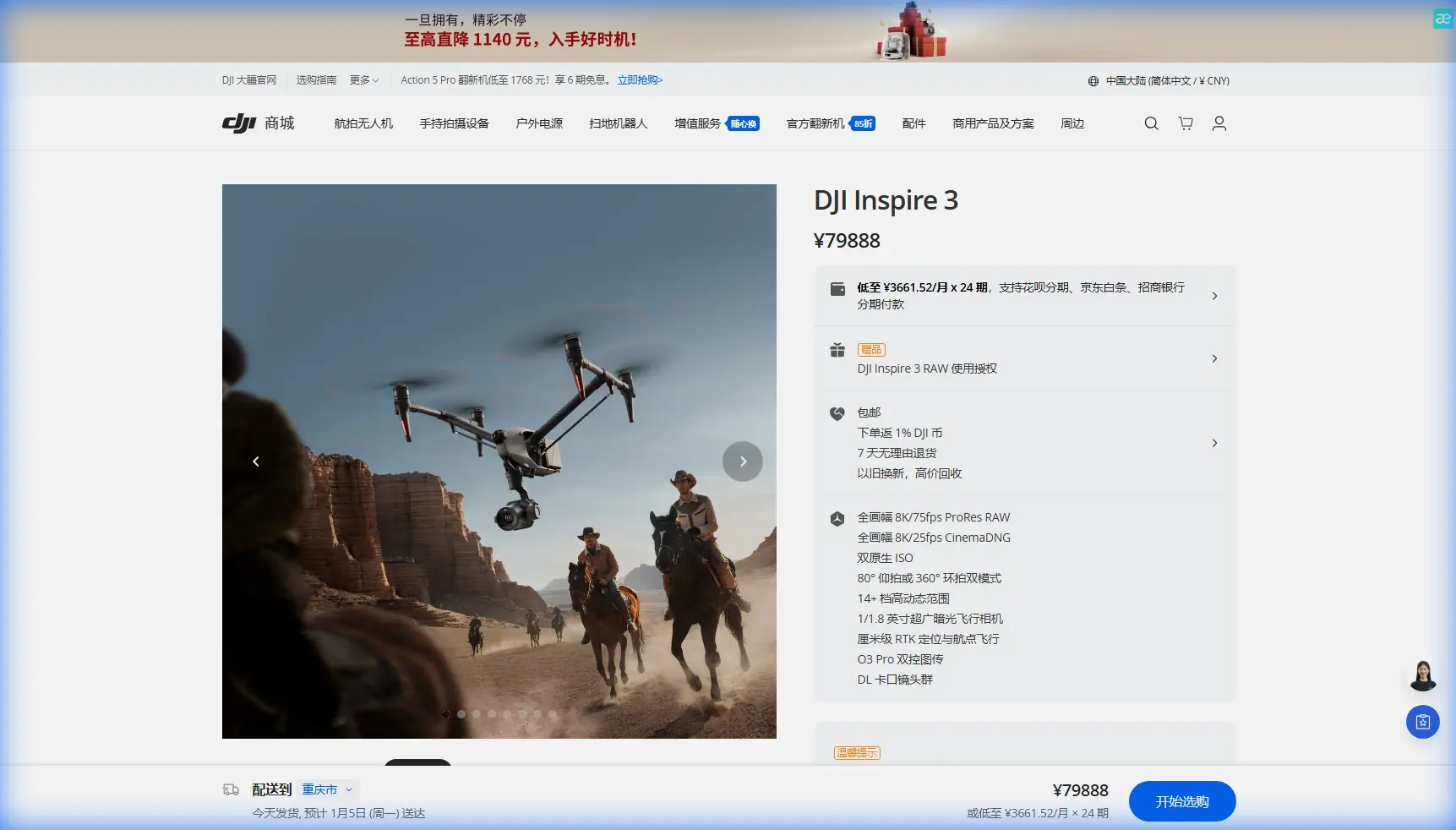
Inspire 3 Filming Tips for Urban Forest Canopy
META: Discover expert Inspire 3 filming tips for capturing stunning urban forest footage. Learn battery management, camera settings, and flight planning from a drone specialist.
Author: Dr. Lisa Wang, Aerial Cinematography Specialist Published: June 2025 Read time: 8 minutes
TL;DR
- Urban forests present unique filming challenges including dense canopy cover, GPS signal interference, and rapidly shifting light conditions that demand specialized drone techniques.
- The Inspire 3's X9-8K Air gimbal camera and O3 transmission system provide the resolution and signal reliability needed to capture cinematic footage beneath and above tree lines.
- Hot-swap batteries and disciplined power management are the difference between a successful shoot and a corrupted file mid-flight.
- Proper GCP placement and photogrammetry workflows unlock post-production possibilities that flat footage simply cannot deliver.
The Core Problem: Why Urban Forests Break Standard Drone Workflows
Filming forests embedded within city environments is one of the most technically demanding scenarios in aerial cinematography. You're dealing with a collision of obstacles that rarely appear together in open-landscape shoots: overhead power lines flanking mature tree canopies, RF interference from nearby cell towers degrading your control link, and unpredictable thermals generated by surrounding concrete structures altering your drone's stability at the worst possible moment.
Standard consumer drones struggle here. Their transmission systems drop frames. Their cameras lack the dynamic range to handle dappled sunlight punching through leaf cover. Their batteries die at 70% indicated charge because voltage sag under load in warm conditions is far worse than spec sheets suggest.
This guide breaks down exactly how to use the DJI Inspire 3 to solve each of these problems—covering flight planning, camera configuration, battery discipline, and post-production integration for urban forest shoots.
Understanding the Urban Forest Environment
Canopy Density and Signal Penetration
Urban forests—whether they're municipal parks, university arboretums, or reclaimed green corridors—typically feature mixed-species canopies ranging from 12 to 30 meters in height. The leaf density varies dramatically by season, but even moderate canopy cover attenuates GPS signals enough to reduce satellite lock from 16+ satellites to 8 or fewer.
The Inspire 3 handles this with its dual-antenna RTK positioning module, which maintains centimeter-level accuracy even when satellite geometry degrades. For shoots where you need to fly beneath the canopy line, switching to ATTI mode with visual positioning engaged gives you manual authority without relying on compromised GPS data.
Thermal Signatures and Air Stability
Concrete and asphalt surrounding urban forests generate significant thermal signature differentials. On a sunny afternoon, the temperature difference between a shaded forest floor and an adjacent parking lot can exceed 15°C. This creates micro-convection currents at the forest edge that destabilize drones during low-altitude lateral tracking shots.
The Inspire 3's flight controller compensates aggressively, but you'll still see subtle jitter in footage if you're shooting at long focal lengths. The solution is timing: schedule edge-of-canopy shots for early morning or late afternoon when thermal differentials shrink below 5°C.
Expert Insight: I've filmed over 40 urban forest projects across North America and Europe. The single biggest quality killer isn't equipment failure—it's shooting canopy-edge tracking shots between 11 AM and 3 PM. The thermal turbulence is invisible to the eye but painfully visible at 8K playback. Shift those shots to golden hour, and the problem disappears entirely.
Flight Planning and Transmission Reliability
O3 Transmission in High-Interference Zones
The Inspire 3's O3 transmission system operates on dual-band frequency hopping across 2.4 GHz and 5.8 GHz, delivering a maximum transmission range of 20 km in open environments. Urban forests cut that range significantly—not because of distance, but because of interference.
Cell towers, Wi-Fi routers from adjacent buildings, and even LED streetlight drivers generate RF noise across both bands. Here's how to maintain link integrity:
- Pre-scan the RF environment using a spectrum analyzer app before flight. Identify the least congested band and lock O3 to it manually rather than relying on auto-switching.
- Position your ground station at the highest accessible point adjacent to the forest. Even 3 meters of elevation gain on a small hill or vehicle rooftop dramatically improves line-of-sight to the drone above the canopy.
- Set your transmission quality to "Smooth" rather than "HD" during complex maneuvers. The latency reduction from 150ms to under 80ms gives you more responsive gimbal control during tight canopy threads.
- Always maintain visual line of sight unless you hold explicit BVLOS authorization from your aviation authority. Urban forests tempt pilots to fly behind tree lines—this is both illegal in most jurisdictions and dangerous given the signal attenuation.
Waypoint Planning for Repeatable Passes
One of the Inspire 3's most underutilized features for forest work is its waypoint mission system with altitude-hold relative to terrain. When filming a photogrammetry dataset of an urban forest for municipal clients or environmental researchers, consistency between passes is non-negotiable.
Set your GCP (Ground Control Points) before any flight operations begin. For urban forest photogrammetry, I place GCPs at a density of 1 per 500 square meters, with at least 5 points visible from above despite canopy gaps. Use high-contrast checkerboard targets sized at 60 cm x 60 cm minimum—anything smaller gets lost in the visual noise of leaf litter and ground vegetation.
Camera Configuration for Canopy Cinematography
Dynamic Range and Exposure Strategy
The X9-8K Air gimbal captures 8K/25fps RAW with over 14 stops of dynamic range. For urban forest work, this dynamic range isn't a luxury—it's a necessity. A single frame can contain direct sunlight flooding through a canopy gap alongside deep shadow on the forest floor. That's easily a 12-stop brightness differential.
| Feature | Inspire 3 (X9-8K Air) | Inspire 2 (X7) | Mavic 3 Pro |
|---|---|---|---|
| Max Resolution | 8K/25fps CinemaDNG | 6K/30fps CinemaDNG | 4K/60fps H.265 |
| Dynamic Range | 14+ stops | 14 stops | 12.8 stops |
| Lens Options | DL mount (interchangeable) | DL mount (interchangeable) | Fixed triple-cam |
| Transmission | O3 (20 km) | Lightbridge 2 (7 km) | O3+ (15 km) |
| Flight Time | 28 min | 27 min | 43 min |
| Obstacle Sensing | 360° omnidirectional | Forward/upward | Omnidirectional |
| Data Encryption | AES-256 | AES-128 | AES-256 |
| Hot-swap Batteries | Yes (TB51) | No | No |
| Max Wind Resistance | 14 m/s | 10 m/s | 12 m/s |
Shoot in CinemaDNG RAW with DJI's DL 24mm f/2.8 for wide canopy establishing shots. Set exposure manually—do not trust auto-exposure in dappled forest light. Lock your ISO at 800, set your shutter to double your frame rate (1/50 for 25fps), and control exposure exclusively with ND filters. I carry ND8, ND16, ND32, and ND64 for every forest shoot.
Gimbal Settings for Smooth Canopy Reveals
The classic "rising through the canopy" reveal shot demands specific gimbal tuning:
- Gimbal pitch speed: Reduce to 15°/second for buttery-smooth tilts
- Gimbal yaw follow speed: Set to 30% to decouple aggressive heading changes from camera rotation
- EIS (Electronic Image Stabilization): Disable when shooting 8K RAW—it introduces subtle cropping artifacts that conflict with post-stabilization in Resolve or Premiere
Pro Tip: For the signature "drone rises from forest floor through canopy into open sky" shot, start in Tripod mode with the gimbal pitched straight down at -90°. Ascend at 1.5 m/s while simultaneously pitching the gimbal up at 10°/second. The math works out so that you reach horizon-level framing exactly as you clear the treetops. Practice this three times before recording—the timing must be muscle memory.
Battery Management: The Field Lesson That Changed My Workflow
During a two-day urban forest shoot in Portland last autumn, I lost an entire afternoon of footage because I ignored a subtle battery behavior. The Inspire 3's TB51 hot-swap battery system uses dual packs, and the system will continue flying when one pack depletes—switching seamlessly to the second. This is brilliant for extended operations.
Here's what nobody tells you: when ambient temperature fluctuates between 10°C and 18°C—common in shaded urban forests during spring and fall—the battery management system can misreport remaining capacity by as much as 12%. I was showing 22% remaining on the controller when the drone initiated an automatic landing with zero additional warning. The voltage had sagged below the critical threshold instantaneously.
The footage from that pass? Corrupted. The CinemaDNG sequence terminated mid-write.
Here's the protocol I now follow religiously:
- Never plan shots that require more than 65% of a single battery pair's capacity. The Inspire 3's 28-minute flight time means your usable filming window is roughly 18 minutes per pair.
- Pre-warm batteries to at least 25°C before flight, even in mild weather. The TB51 packs have internal heating, but activating them in-situ drains 3-5% capacity before you even take off.
- Carry a minimum of 4 battery pairs for a half-day urban forest shoot. Rotation logistics matter—label each pair and track cycle counts.
- Monitor cell voltage differential, not percentage. If any cell in a pack deviates by more than 0.1V from the others, ground that pair immediately.
- Hot-swap with purpose. The TB51's hot-swap capability lets you change one battery while the other sustains flight. Execute this only when hovering at a stable altitude above the canopy—never during an active filming pass below tree line.
Data Security and Client Deliverables
Urban forest shoots often serve municipal governments, environmental agencies, or infrastructure firms conducting corridor assessments. These clients frequently require documented data security protocols.
The Inspire 3 encrypts all transmission data with AES-256 encryption, which satisfies most government data handling requirements. For photogrammetry deliverables, ensure your GCP data is recorded in the same coordinate reference system your client's GIS team uses—mismatched datums are a surprisingly common source of project delays.
Common Mistakes to Avoid
1. Flying Below Canopy Without a Visual Observer The temptation to thread the Inspire 3 between tree trunks for dramatic interior forest shots is real. Without a dedicated visual observer positioned inside the forest communicating obstacle proximity via radio, you are risking a collision that destroys equipment and potentially harms bystanders.
2. Ignoring BVLOS Regulations Urban forests often sit within controlled airspace near hospitals, government buildings, or airports. Flying beyond visual line of sight without a waiver is illegal and carries severe penalties. Always file NOTAMs and secure BVLOS authorization when your mission profile demands it.
3. Using Auto White Balance in Mixed Light Canopy shoots create mixed color temperatures—cool blue sky light filtering through gaps alongside warm reflected light from bark and soil. Auto white balance hunts between these values, creating inconsistent footage that's painful to color grade. Lock white balance to 5600K and adjust in post.
4. Neglecting Pre-Flight Compass Calibration Urban environments saturate with magnetic interference from underground utilities and rebar in nearby structures. Calibrate the Inspire 3's compass at your launch point before every session—not just the first flight of the day.
5. Skipping Test Footage Review On-Site Always review your first recording on a calibrated field monitor before committing to a full shot list. Focus peaking, exposure clipping, and compression artifacts from incorrect codec selection are all fixable on-site but catastrophic if discovered back in the edit suite.
Frequently Asked Questions
Can the Inspire 3 fly safely beneath dense urban forest canopy?
The Inspire 3's 360° omnidirectional obstacle sensing provides collision avoidance support, but dense canopy interiors remain high-risk environments. The sensing system can struggle with thin branches and leaves that fall below its detection threshold. Flying beneath canopy is technically possible in ATTI mode with obstacle avoidance disabled, but it requires an experienced pilot, a visual observer, and a thorough risk assessment. For most urban forest projects, the higher-value shots come from canopy-level and above-canopy perspectives where the aircraft can operate with full sensor support.
How many battery pairs do I need for a full-day urban forest shoot?
Plan for 6 to 8 TB51 battery pairs for a full production day. Each pair delivers approximately 18 minutes of usable filming time after accounting for takeoff, positioning, and mandatory reserve margins. A full-day shoot with setup, repositioning, and review cycles typically requires 10 to 14 flights. Having extra pairs eliminates pressure to rush shots and allows you to retire any pair that shows abnormal cell voltage behavior during the day.
What post-production software works best with Inspire 3 urban forest footage?
For pure cinematography deliverables, DaVinci Resolve Studio handles CinemaDNG and Apple ProRes RAW sequences natively with full color science support. For photogrammetry and mapping workflows from urban forest surveys, Agisoft Metashape Professional or Pix4Dmapper process the Inspire 3's geotagged imagery with GCP integration. Both support the coordinate systems and accuracy standards that municipal and environmental clients require. Export orthomosaics and point clouds in standard formats like LAS, GeoTIFF, and OBJ for maximum client compatibility.
Ready for your own Inspire 3? Contact our team for expert consultation.