
Inspire 3 for Forest Filming in Low Light
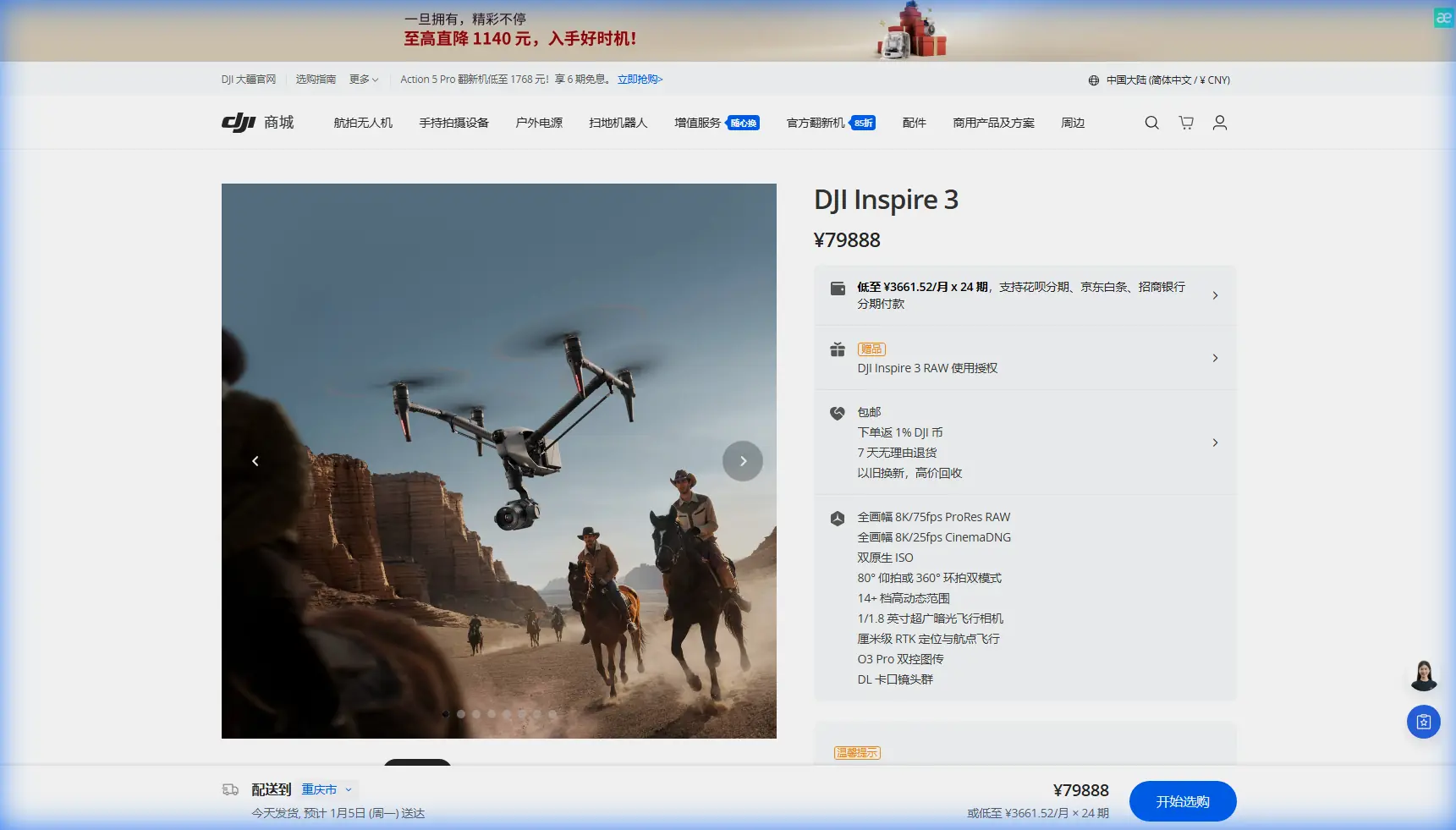
Inspire 3 for Forest Filming in Low Light: A Practical Field Tutorial
META: A field-tested Inspire 3 tutorial for filming forests in low light, covering lens choices, O3 transmission, hot-swap workflow, safety, and efficient setup for reliable cinematic results.
I still remember a dawn shoot in a dense cedar valley where the light looked beautiful to the eye and terrible on the monitor. The canopy was swallowing the sky. Contrast was uneven. The path between trunks was tight enough that every movement needed intention, not correction. On older platforms, that kind of location forced compromises: higher noise, shorter takes, and too much attention spent managing aircraft interruptions instead of shaping the shot.
The Inspire 3 changes that equation, but not because it performs magic. It helps because its design reduces the usual friction points that show up when you film forests in low light: limited visibility, difficult signal paths, compressed setup windows, and the constant pressure to keep aircraft downtime low while preserving image quality. If your goal is smooth, repeatable, professional footage under a canopy, this aircraft rewards disciplined workflow.
This guide is built around that exact scenario.
Why forests in low light are unusually demanding
Forests create three technical problems at once.
First, they reduce and scatter available light. You are often exposing for dark bark, shaded understory, and bright gaps in the canopy in the same frame. That pushes both your camera settings and your piloting choices.
Second, trees interfere with line of sight in a very practical sense. Even if you are legally operating within visual line of sight, signal consistency and visual orientation become harder once the aircraft dips behind trunks or into terrain breaks. This is where a robust transmission system matters operationally, not just on a spec sheet. Inspire 3’s O3 Pro transmission is useful here because it supports more reliable monitoring and control in complex environments where foliage and terrain constantly challenge the link. In the forest, confidence in your image feed is part of flight safety and part of shot execution.
Third, battery stops become more disruptive than they would in an open landscape. Forest light is transient. A thin band of early dawn or late dusk may give you 10 to 20 minutes where the scene has shape, depth, and just enough contrast to feel cinematic. If your aircraft sits idle during that window, the opportunity is gone. Inspire 3’s hot-swap battery design matters for exactly this reason. You can keep the aircraft powered during battery replacement, which shortens reset time and helps preserve rhythm on location. That sounds like a convenience feature until you are standing in damp undergrowth with a moving fog bank and a director waiting for one more pass.
Start with the shot design, not the aircraft settings
Low-light forest filming goes wrong when pilots begin by asking, “What ISO can I get away with?” The better question is, “What movement can this location support without exposing the weaknesses of the scene?”
For Inspire 3, I recommend planning your forest shots in three categories:
1. Lateral reveals along the tree line
These are forgiving and visually rich. You skim parallel to trunks, using foreground parallax to create depth. In low light, this often looks stronger than a direct push because you can maintain cleaner separation between subject and background without forcing the camera into the darkest interior.
2. Slow ascending lifts through canopy gaps
These work best when you have identified a clean vertical corridor. The key is restraint. A forest gap that looks spacious from the ground may be much narrower once the aircraft is moving and the gimbal is pitched.
3. Controlled retreat shots on paths or clearings
These can be excellent at dawn when the path carries the viewer through layered mist or backlit haze. They are also easier to repeat consistently if you have marked your start and end points.
Before power-up, walk the route. Not approximately. Actually walk it. Note branch overhangs, fine twigs, irregular terrain, and moisture that could affect footing during launch and recovery. A location recce in the forest is worth more than an extra battery pair if it prevents a rushed flight.
Camera and exposure priorities in dim woodland
The Inspire 3 is fundamentally a cinema tool, so the biggest operational advantage is not merely that it can fly through forests. It is that it can hold image integrity while doing it.
For low-light work, your priorities should be:
- Preserve highlight detail in canopy breaks
- Avoid noise buildup in deep greens and shadowed bark textures
- Keep movement smooth enough that the scene feels deliberate, not “rescued in post”
That means exposing with discipline. If the sky is visible through the canopy, let those bright windows guide your upper limit. Forest footage often falls apart when highlights clip in irregular patches across the frame. Once that happens, the image feels brittle.
At the same time, do not chase brightness for its own sake. A forest at dawn should still feel like dawn. The Inspire 3’s camera system gives you room to produce a clean, gradable image, but that only pays off if you accept the mood of the environment instead of flattening it.
Lens choice also matters more than many crews admit. In tight woods, a wider field of view may feel safer, but too wide can make trunks look farther apart than they are and reduce the emotional density of the scene. A slightly more selective lens often produces stronger layering, especially when the undergrowth is busy.
Build a battery rhythm around the light window
This is where the Inspire 3 earns trust in the field.
Hot-swap batteries are not just a convenience for long production days. In low-light forest filming, they support continuity. You can land, replace batteries, and get back up without the same level of interruption you would face on systems that fully power down. Operationally, this means:
- less delay during a short sunrise or dusk window
- fewer system rechecks under time pressure
- better continuity for repeated passes when light is changing minute by minute
I advise crews to assign one person to aircraft readiness and one person to media and shot logging. The aircraft should never be waiting on human indecision. As soon as a take is complete, decide whether it is a keeper, a variation, or a discard. Forest environments drain time because every reset involves moving bodies through uneven terrain.
A clean rotation plan helps. Pre-stage your battery sets, keep them protected from moisture and cold ground contact, and log flight times with more rigor than you would in open daylight work.
Transmission reliability changes how boldly you can frame
Under a canopy, flying by instinct is lazy and dangerous. You need a stable downlink, a readable display, and enough trust in the feed to execute movement precisely.
That is why O3 transmission is not just a checkbox item in the Inspire 3 story. In forests, it directly affects the kinds of shots you can attempt with confidence. A strong transmission system lets the operator judge branch spacing, contrast, and timing in real conditions rather than guessing from a degraded feed. It also supports better crew communication when pilot and camera operator are splitting responsibilities.
If your production involves sensitive footage or location confidentiality, the inclusion of AES-256 encryption is also operationally relevant. Forest productions often happen on private estates, managed reserves, or closed commercial properties where media security matters. Encryption will not make a poor workflow secure, but it adds a meaningful layer when protecting transmission data in professional environments.
A note on thermal, photogrammetry, and forest preplanning
The Inspire 3 is not a thermal drone, so if someone uses the phrase “thermal signature” around this platform, it should be understood in planning terms rather than payload capability. In forestry or environmental production work, teams sometimes cross-reference thermal findings from other sensors to identify animal-sensitive areas, warm equipment zones, or microclimate differences before a visual shoot. That kind of planning can make your Inspire 3 flights cleaner and less disruptive.
The same goes for photogrammetry and GCPs. You are not flying the Inspire 3 as a dedicated survey platform in this scenario, but survey discipline still helps cinema operations. I have used photogrammetry-derived terrain models and ground control point references from separate mapping workflows to understand elevation shifts, identify safe launch zones, and previsualize tree spacing. In a forest, that can be the difference between improvising a route and executing one.
This matters even more when clients ask about extended visual corridors, hidden terrain folds, or future BVLOS possibilities for non-cinematic site work. For filming, stay within your local regulations and maintain appropriate visual oversight. But if you are working on larger commercial projects, the habit of integrating mapped terrain intelligence into aerial planning makes every flight better.
My recommended field workflow for Inspire 3 in forests
Here is the tutorial version I give junior crews.
Step 1: Scout at ground level first
Mark obstacles, launch points, emergency landing areas, and any wet or unstable ground. Forests are deceptive from above and below. Do not trust a map alone.
Step 2: Test signal before committing to the route
Lift to a safe altitude in a clear area and evaluate your control and image feed before entering denser sections. O3 transmission is strong, but every forest behaves differently depending on terrain and foliage density.
Step 3: Fly the route once for safety, once for image
Your first pass should confirm spacing, timing, and exposure transitions. Your second pass should be the creative take. Trying to combine both goals on the first run is how branches win.
Step 4: Keep speed lower than your instincts suggest
Low-light footage usually benefits from slower movement anyway. In forests, slower movement also gives the operator time to read depth cues that disappear under flat dawn contrast.
Step 5: Use hot-swap stops deliberately
Do not wait until the entire crew is mentally scattered. Land while the team is still organized, swap efficiently, confirm the next variation, and relaunch.
Step 6: Log the keepers immediately
Dense woodland shoots produce many takes that feel similar until you review them later. A simple voice log or note system prevents confusion back at the edit station.
Common mistakes I see with Inspire 3 in forest work
The first is treating low light as a purely camera problem. It is a route problem, a pacing problem, and a crew coordination problem.
The second is overcomplicating the movement. Forest imagery gains power from confidence and subtlety. A smooth lateral glide can look far more expensive than an aggressive move that draws attention to obstacle avoidance.
The third is ignoring moisture and temperature effects on the team. Even when the aircraft is performing well, operators in cold, wet forests make worse decisions. Keep your process tight and your equipment staging dry.
The fourth is poor communication between pilot and camera operator. In low light, perception diverges. One person may be reading branch clearance while the other is watching highlight retention. Callouts need to be concise and standardized.
If you are planning a forest production and want to discuss route design or workflow details, you can message me directly here: forest flight planning support
What made the Inspire 3 easier for me personally
The biggest improvement was not one dramatic capability. It was the removal of little interruptions.
On that cedar valley shoot I mentioned earlier, the old pattern was familiar: launch, test exposure, start a promising pass, lose confidence in the feed under the canopy, pull out, land, reset, swap batteries, reinitialize, and watch the best light disappear.
With Inspire 3, the process became steadier. O3 transmission gave the crew a more dependable window into the route. Hot-swap batteries reduced the dead time between takes. AES-256 added peace of mind for a private-location production. None of those details are glamorous. All of them matter when the scene only works for 12 minutes and the forest punishes hesitation.
That is the real value of the platform in this use case. It lets you spend less energy recovering from friction and more energy shaping the image.
If your work involves forests in low light, approach the Inspire 3 as a system for preserving momentum. Scout thoroughly. Keep movements simple. Respect the light window. Use the aircraft’s operational strengths where they count most: continuity, signal confidence, and disciplined repeatability.
Ready for your own Inspire 3? Contact our team for expert consultation.