
Inspire 3 for Dusty Power Line Filming: An Expert Field
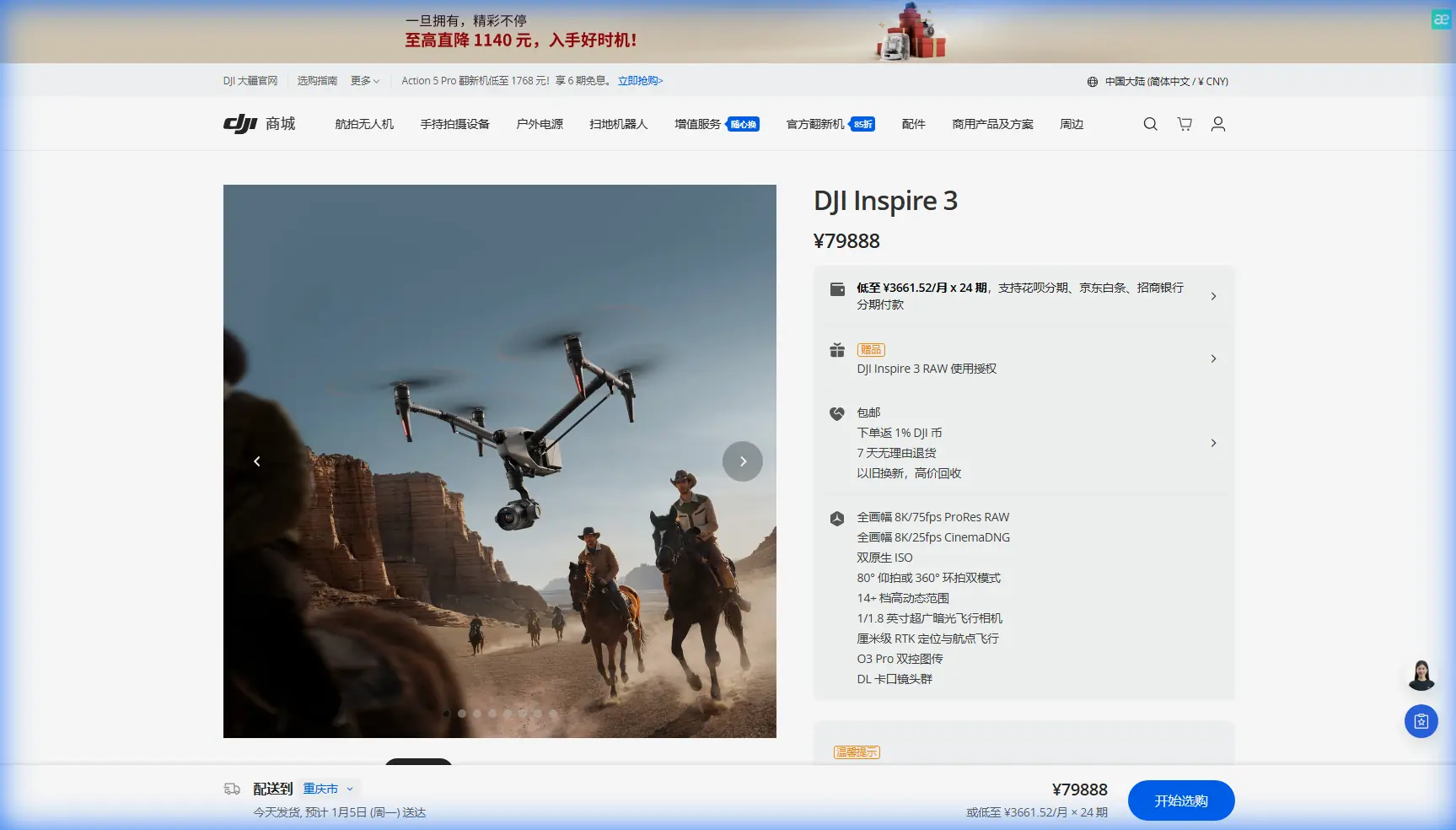
Inspire 3 for Dusty Power Line Filming: An Expert Field Workflow
META: A practical expert guide to using DJI Inspire 3 for dusty power line filming, with workflow advice on visibility, telemetry, transmission, battery handling, and why cockpit-style data presentation still matters.
Power line filming looks straightforward on paper. It rarely is in the field.
Dust changes everything. It flattens contrast, contaminates takeoff zones, stresses cooling paths, and makes pilots rely more heavily on telemetry than on visual confidence alone. Add long linear assets, repetitive structures, changing light, and the need for precise repeatable passes, and you quickly learn that not every cinema drone is equally useful for this kind of work.
The Inspire 3 stands out here not because it is merely a high-end camera platform, but because its value becomes obvious when the mission is messy: dusty service roads, uncertain visibility, repeated repositioning, and crews trying to hold a clean workflow around infrastructure that does not stop for the shoot.
This guide is built for that scenario.
Why Inspire 3 makes sense for power line work
For civilian infrastructure filming, the ideal aircraft has to do two things at once: capture polished footage and behave like a reliable working tool. That combination matters more than headline specs.
Inspire 3 fits the job because it bridges cinema and operational discipline unusually well. Its professional imaging gets the attention, but on power line assignments the hidden advantage is how well it supports controlled, repeatable flying. O3 transmission helps maintain a stable command and video link over long inspection corridors. AES-256 support matters too, especially when the footage involves utility infrastructure, contractor coordination, or restricted project handling. Those are not glamorous talking points. They are the details that help crews stay calm and accountable.
Against many competitor platforms, this is where Inspire 3 pulls ahead. Some aircraft offer strong camera performance but feel compromised once the mission becomes linear, dusty, and data-sensitive. Others are rugged enough operationally but do not deliver the same quality ceiling for client-facing footage. Inspire 3 sits in the middle of that Venn diagram more convincingly than most.
Dusty environments are not just a cleanliness problem
A lot of teams underestimate what dust does to decision-making.
When you are filming power lines, the aircraft often flies near dry tracks, gravel laydowns, or cleared utility corridors. Every takeoff and landing can stir a local cloud. That affects visibility, but it also changes how the crew reads aircraft condition and onboard behavior. In these conditions, pilots and camera operators need an interface that supports fast interpretation.
That may sound obvious, but older cockpit design logic still teaches a useful lesson. One reference from traditional aviation instrumentation argues that for temperature and pressure parameters, analog display should be prioritized, and where higher precision is needed, analog and digital can be used together rather than relying on digital alone. The reason is operational, not nostalgic: humans read trend and deviation faster from a visual scale than from isolated numbers.
That matters with Inspire 3 more than many drone operators admit.
When filming along power lines in dust, you should not treat battery status, thermal behavior, signal condition, and flight envelope cues as background information. You should fly in a way that makes trends visible to the crew. If your operating layout lets you see both broad-state information and precise values, response time improves. A dusty mission is exactly the wrong place to bury critical status behind over-tidied screens or force the crew to parse numbers without context.
The same reference also describes color zoning for engine instruments: green for normal operation, yellow for caution, red for prohibited range. That logic survives because it works. For Inspire 3 crews, the lesson is simple: build your monitoring habits around zones and drift, not just percentages. If transmission quality slips, temperature rises, or battery balance changes, the pattern matters before the alarm does.
A practical preflight for power line filming
Power line filming with Inspire 3 should begin well before props spin.
1. Define the mission type
Not every line job is the same. Are you shooting:
- cinematic corridor reveals,
- close structural passes for engineering review,
- context footage for investor or public communications,
- or photogrammetry support around towers and access routes?
If photogrammetry is part of the assignment, identify where GCPs are viable and where they are not. Inspire 3 is not a dedicated survey platform in the same sense as a mapping-focused drone, but it can still play a strong role in hybrid documentation workflows. For example, it can capture high-quality oblique footage and supplementary structure detail while another system handles the strict survey grid.
2. Assess dust generation zones
Mark launch and recovery points with as much attention as you give your shot list. In dusty utility corridors, the wrong landing area can create more risk than the flight itself. Look for compacted surfaces, vehicle mats, or low-disturbance staging positions. If the route forces repeated battery swaps, this becomes even more important.
Hot-swap batteries are one of Inspire 3’s most practical advantages in this setting. On a power line project, every minute saved during turnaround compounds across the day. More importantly, reducing the time the aircraft sits exposed on the ground reduces the chance of dust contamination during resets.
3. Plan for signal continuity, not just range
People love talking about maximum transmission distance. That is not the real issue on power line jobs.
The real issue is continuity. Metal structures, terrain undulation, vegetation edges, and changing aircraft orientation can all influence link quality. O3 transmission is useful because it improves confidence when the aircraft is working down a corridor rather than hovering in an ideal open test field. But crews still need disciplined antenna orientation, line-of-sight planning, and realistic route segmentation. Even where regulations permit broader operational envelopes, do not let talk of BVLOS distract from site-specific risk management. Most utility filming is won by disciplined VLOS or tightly managed extended corridor operations, not by heroic overreach.
The fuel-system lesson that still applies to electric drone work
One of the most interesting reference points here comes from a classic aircraft propulsion design text discussing fuel behavior.
It notes that saturated vapor pressure depends not only on fuel composition and temperature, but also on the vapor-to-liquid volume ratio in the container. It also explains why vapor pressure matters in aviation systems: it affects evaporation loss, pump cavitation, engine starting, and fire risk. One test condition cited is a Reid vapor pressure standard at 38°C with a 4:1 vapor-liquid ratio. Another table shows how viscosity changes sharply with temperature; for one listed fuel, T-1, the kinematic viscosity is about 26.730 × 10^-6 m²/s at -60°C and falls to 0.935 × 10^-6 m²/s at 60°C.
At first glance, that has nothing to do with Inspire 3. In practice, it points to a core field truth: environmental temperature fundamentally changes system behavior, and smart operators respect that before a fault appears.
Electric drones do not have aviation fuel pumps, but dusty power line work still lives under the same physical reality. Heat changes performance margins. It influences battery behavior, cooling efficiency, turnaround rhythm, and how aggressively you can repeat takes. Dust then compounds the issue by reducing system comfort and increasing crew workload.
So the takeaway is not “treat Inspire 3 like a fuel-powered aircraft.” The takeaway is that aviation has long understood that temperature-linked fluid and pressure behavior can drive mission risk in subtle ways. The drone equivalent is being serious about battery temperature management, airborne loiter discipline, and ground handling. If you keep pushing flights in a hot, dusty corridor because the aircraft “still seems fine,” you are already behind the curve.
In-flight workflow: getting clean results without stressing the system
Once airborne, Inspire 3 is at its best when the crew divides the mission into distinct pass types.
Corridor establishing passes
Start wider than the client requested.
A broad contextual pass gives editors options and helps identify visual contamination from dust haze. It also lets the pilot judge local wind structure around towers and conductor spans without committing immediately to tighter flight lines.
Structural detail passes
For insulator strings, arm geometry, connection points, and tower-top components, keep movement simple. Dusty air can reduce perceived separation and flatten depth cues, so predictable lateral and rising moves usually outperform overcomplicated arcs. If the client also wants engineering-adjacent review footage, consistency matters more than cinematic flourish.
Thermal or multi-platform coordination
If thermal signature work is being performed by another aircraft or another department, use Inspire 3 to complement rather than duplicate. Visible-spectrum cinema footage is strongest when it adds asset context, access-route awareness, vegetation proximity, and spatial orientation around anomalies detected elsewhere.
That distinction helps the final deliverable. Thermal identifies the issue; Inspire 3 explains where it sits in the real-world structure.
Display discipline is a professional skill
Here is where many crews leave quality on the table.
When conditions are dusty and repetitive, fatigue becomes a real factor. Long stretches of similar towers and spans can trick teams into thinking the mission is routine. This is exactly when display design and monitoring habits matter. The instrumentation reference’s point about analog-first readability is not some museum relic. It reflects how humans actually scan information under workload.
For Inspire 3 crews, that means:
- avoid cluttered screen setups,
- prioritize trend visibility,
- keep critical flight and power cues instantly legible,
- and use dual-format thinking whenever possible: quick visual state plus exact numeric confirmation.
This is especially useful during repeated takeoff-land-swap cycles. The aircraft may be ready faster than the crew is cognitively ready to re-enter the same corridor with the same level of attention. A clean, readable telemetry environment helps reset that discipline.
Competitor comparison: where Inspire 3 genuinely excels
There are other aircraft that can film power lines. Some are cheaper to deploy. Some are smaller. A few may be better suited for specialized sensor packages or pure inspection tasks.
But Inspire 3 has a distinctive advantage when the brief demands both operational reliability and premium visual output in one airframe.
That matters in real contracts. Utility clients increasingly want footage that serves several teams at once: asset managers, communications staff, environmental stakeholders, and project leadership. A drone that only inspects may not satisfy the storytelling side. A drone that only looks cinematic may create operational compromises in corridor work. Inspire 3 handles that balance unusually well, especially with O3 transmission stability, secure handling through AES-256, and efficient battery turnaround through hot-swap support.
That is why it often feels stronger than its nearest rivals on infrastructure media assignments. It is not just about image quality. It is about how much friction the aircraft removes from a demanding field day.
A sample field sequence for a dusty transmission corridor
If I were deploying Inspire 3 on a civilian power line filming assignment in dry conditions, the sequence would look like this:
- Walk the launch and recovery area first, not last.
- Set a low-dust staging point even if it means a slightly longer carry.
- Brief route segments around line geometry, terrain breaks, and likely signal shadows.
- Configure the display so battery, link health, and flight state are immediately readable.
- Begin with one conservative establishing pass to validate conditions.
- Move into tighter structural shots only after confirming dust behavior and airflow around the towers.
- Use hot-swap cycles to keep tempo high without rushing relaunch decisions.
- Back up footage and log any transmission or environmental anomalies between segments.
- If the client needs hybrid outputs, tag footage that supports photogrammetry context or tower-by-tower review.
- End before the crew starts normalizing degraded visibility or rising heat.
That last point matters. A lot of bad operational decisions arrive disguised as efficiency.
Final thought
Power line filming is not really about flying near wires. It is about maintaining image quality, aircraft confidence, and crew judgment in an environment that constantly chips away at all three.
Inspire 3 is a strong platform for that work because it does more than produce attractive footage. It supports a disciplined workflow. And the old aviation references behind this discussion underline why that matters: system behavior changes with temperature, instrumentation has to be readable under pressure, and operational safety often depends on understanding trends before they become alarms.
If you are planning a dusty corridor project and want to compare workflow options, payload strategy, or secure delivery practices, you can message our field team directly here.
Ready for your own Inspire 3? Contact our team for expert consultation.