
Inspire 3 in Dusty Venues: A Field Tutorial for Cleaner
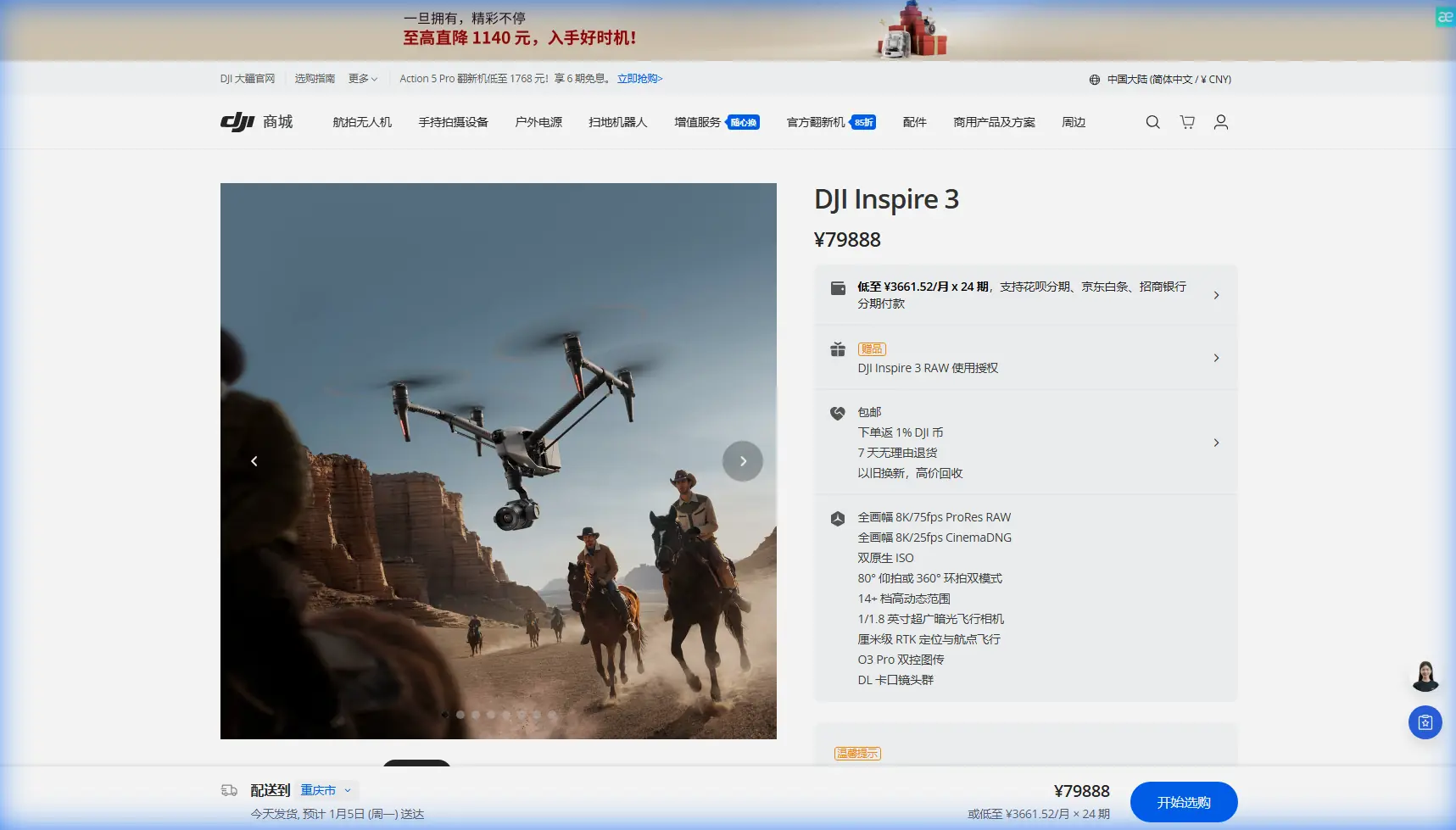
Inspire 3 in Dusty Venues: A Field Tutorial for Cleaner Footage, Safer Flights, and Better Range
META: Practical Inspire 3 tutorial for filming in dusty venues, covering antenna positioning, hot-swap batteries, O3 transmission, AES-256, lens handling, and workflow tips for reliable commercial shoots.
Dust changes how you fly.
Not in an abstract way. It changes takeoff choices, lens swaps, battery handling, transmission reliability, turnaround time, and even how your footage grades later. If you are bringing a DJI Inspire 3 into a dry festival ground, construction site, equestrian arena, quarry, desert resort, or windblown sports venue, the aircraft is only part of the equation. The rest is field discipline.
I am writing this with the Inspire 3 specifically in mind, not as a generic drone checklist. This platform was built for high-end production work, and that means its strengths become obvious when conditions get messy. The full-frame imaging system, professional video pipeline, O3 transmission, and hot-swap battery workflow all matter more in dust than they do on a calm, clean location. Used well, they help you keep shooting when lesser setups start wasting time.
Why dusty venues are harder than they look
Dust is rarely just “dirt in the air.” On real jobs, it arrives in layers:
- fine suspended particles that reduce contrast
- loose grit that gets kicked up during takeoff and landing
- abrasive residue that settles on lenses, props, and connectors
- heat shimmer near the ground that affects visual judgment
- reflective haze that makes exposure decisions less intuitive
If your venue includes moving vehicles, livestock, heavy foot traffic, or open soil, the problem compounds. Every reset stirs up another cloud. That affects both image quality and operations.
The Inspire 3 is especially capable in this environment because it combines a cinema-oriented airframe with production-minded speed. One operational detail that matters immediately is the hot-swap battery design. When you are filming in dust, the less time you spend powering fully down, reopening cases, and exposing components on the ground, the better. Hot-swap batteries shorten turnaround between takes and reduce how often your camera and aircraft sit open to airborne debris.
That sounds like a convenience feature. In dusty venues, it becomes a reliability feature.
Build your dusty-site workflow around the aircraft’s real strengths
A lot of crews approach dust defensively. Cover everything, touch nothing, panic at every landing. That usually creates delays without solving the biggest risks. A better method is to build the day around what the Inspire 3 does well.
1. Minimize low-hover time
Dust is worst near the ground. The Inspire 3 can get into position quickly, so use that. Avoid extended low hover while waiting for talent, vehicles, or cues. Lift cleanly, climb to working altitude, and settle only when the action is ready.
This does two things:
- reduces the amount of dust the aircraft recirculates into itself and the lens environment
- gives the camera a cleaner optical path sooner, which helps preserve contrast
It also helps with thermal management and visual awareness. Ground-level air in hot, dusty venues is often the dirtiest and most unstable.
2. Treat every landing zone as a camera department decision
Pilots often choose a takeoff spot based on convenience. In dust, that is a mistake. Your launch point affects image quality and maintenance load for the rest of the day.
Pick a surface that is:
- compact rather than powdery
- clear of loose sand and dry topsoil
- offset from vehicle movement and foot traffic
- aligned for line of sight to the working airspace
If you have to operate from an exposed venue, create as much separation as possible between the launch zone and the main dust source. A small relocation can make a major difference to prop wash contamination.
Antenna positioning advice for maximum range
This is where many otherwise excellent shoots lose consistency.
The Inspire 3’s O3 transmission system is robust, but no transmission system likes poor antenna discipline. Dusty venues often include grandstands, steel roofing, stage truss, temporary structures, parked vehicles, and machinery. Those surfaces create reflections and partial blockages that can make range feel worse than it should.
The practical rule is simple: do not point the antenna tips at the aircraft. The strongest part of most controller antenna radiation pattern is broadside, not straight off the ends. For maximum range and a more stable signal, angle the antennas so their flat faces are oriented toward the aircraft’s general position in the sky.
A few field habits matter:
- If the aircraft is far out and low, tilt the antennas to keep that broadside relationship.
- If the aircraft moves overhead, readjust. An antenna setup that is ideal at 300 meters out may be poor when the drone is nearly above you.
- Keep your own body from blocking the controller. Your torso can attenuate signal.
- Step away from metal barriers, vehicles, generator trailers, and scaffold uprights when possible.
- Maintain direct line of sight. O3 can handle demanding production environments, but structures and terrain still win if you hide behind them.
Why this matters operationally: a cleaner transmission link gives you more dependable framing decisions, fewer image interruptions, and less temptation to reposition the aircraft aggressively during a take. In a dusty venue, unnecessary movement near the ground is exactly what you want to avoid.
If your crew needs pre-shoot support on site planning or controller setup, share your venue details here: message the flight team directly.
O3 transmission is not just about distance
People tend to discuss transmission systems in terms of how far they can go. On a real commercial set, the more useful question is how stable your feed remains when the environment is visually and physically chaotic.
Dusty venues often generate weak points in the video link because they also tend to be structurally messy. Metal roofs, event infrastructure, construction materials, broadcast equipment, and moving trucks all complicate RF conditions. O3 transmission gives Inspire 3 operators a stronger foundation for maintaining a reliable live view and control link, which directly affects shot confidence.
That matters even more if your work includes long tracking moves, repeated passes, or complex blocking with multiple departments waiting on timing. You do not want your transmission confidence changing every time a loader parks nearby or a stage wall goes up.
Security matters on commercial sets too
One reference detail people often overlook is AES-256. In some circles, transmission encryption sounds like an IT footnote. On venue shoots, it is practical.
Inspire 3 supports AES-256 encryption, and that matters when you are working on unreleased productions, private events, branded activations, industrial documentation, or closed-site client work. It reduces exposure of your transmission workflow and helps protect the material moving between aircraft and control system.
Operationally, this matters because venue filming increasingly overlaps with confidentiality. A dusty mine inspection, a private motorsport rehearsal, or a not-yet-open hospitality site may not be glamorous, but the footage still has to be handled professionally.
Lens and sensor discipline: dust attacks image quality first
The first casualty of dust is often not the aircraft. It is the image.
With Inspire 3, crews usually care deeply about texture, dynamic range, and a polished finish. Dust makes all three harder. A thin film on the front element lowers contrast and can create flare behavior that looks like a grading problem later. Sensor-area contamination is worse, because it can turn into repetitive cleanup in post.
So the field rule is this: reduce lens changes unless the shot gain is real.
Every lens swap is an opportunity for contamination. In clean studio conditions, you can afford to be casual. In a dusty venue, every open mount is a risk event. Plan the shot list so you group focal lengths, complete one visual block, then change glass in a protected area rather than improvising in open wind.
A simple working method:
- Preselect the first lens based on the highest-priority setup.
- Keep the aircraft closed up as long as possible.
- Swap only in a sheltered vehicle, tent, or wind shadow.
- Inspect the front element before every major take.
- Use proper cleaning tools, not shirt hems, gloves, or random wipes.
That sounds basic. Yet on dusty productions, disciplined lens handling can save more time than any postproduction trick.
Hot-swap batteries change how you manage exposure to dust
The Inspire 3 battery workflow is one of the biggest reasons it suits hard-working commercial crews. Hot-swap batteries are not only about speed. They let you keep your aircraft mission-ready while reducing unnecessary open-ground handling.
Here is the operational significance:
- Shorter battery change windows mean less dust settling into exposed areas.
- Faster resets help you catch transient lighting, especially around sunrise and sunset when dust can create dramatic but brief atmospheric texture.
- Crews stay focused. Long battery cycles often encourage people to set the drone down in bad places or rush reassembly.
For dusty venues, stage your battery table away from the launch zone. Do not build your charging and prep station directly in the path of prop wash or vehicle traffic. It sounds obvious, but many teams still recharge and prep in the worst possible place simply because it is close.
When venue work overlaps with mapping and documentation
The Inspire 3 is a cinema platform first, but some venue projects also need documentation beyond hero shots. Progress records, orthographic reference passes, or photogrammetry support may be part of the deliverable on construction, redevelopment, or large-event planning sites.
This is where terms like GCP and photogrammetry matter. If the venue owner wants visual storytelling plus measurable site context, ground control points can improve geospatial consistency for mapping workflows conducted with the appropriate tools and planning. The Inspire 3 is not a replacement for every dedicated survey aircraft, but on mixed-purpose jobs it can still contribute valuable visual records when the flight plan is designed properly.
Operationally, keep these roles separate. A cinematic low pass through dust is not the same mission as a structured mapping run. Distinct flight objectives reduce mistakes, and they preserve data quality.
Thermal signature: useful concept, wrong expectation
Since “thermal signature” often comes up in drone discussions, it is worth clarifying in the venue-filming context. Dusty sites can create strong heat gradients from sun-baked ground, machinery, roofing, and hardscape. Those conditions affect aircraft performance perception and visual decision-making, even if your payload is not a thermal camera.
The lesson is not to chase thermal imagery with the wrong tool. The lesson is to recognize that hot surfaces and unstable air near the ground influence your flight behavior, image shimmer, and battery planning. On an afternoon shoot over rock, dirt, or concrete, climb efficiently and avoid lingering in the hottest air layer unless the shot absolutely requires it.
A practical dusty-venue checklist for Inspire 3 crews
Here is the condensed version I use for commercial operations:
Before arrival
- Group shots by lens to reduce swaps.
- Assign a protected battery and cleaning area.
- Review likely RF obstructions for O3 transmission performance.
- Decide whether any mapping or photogrammetry deliverables need separate planning.
On site
- Choose a launch point with cleaner ground and better line of sight.
- Keep antennas oriented broadside to the aircraft, not tip-on.
- Reposition yourself if vehicles, scaffolding, or barriers compromise signal.
- Avoid long low hovers that churn dust.
- Change batteries quickly and away from the dirtiest air.
- Inspect glass constantly.
After each flight block
- Check props and motor areas for debris accumulation.
- Confirm connectors and battery interfaces are clean.
- Review footage for haze, contrast loss, or dust artifacts before moving on.
The bigger picture
The Inspire 3 rewards crews who think like operators, not just camera owners. In dusty venues, the aircraft’s premium features only pay off if your workflow is equally deliberate. O3 transmission is strongest when antenna positioning is handled properly. AES-256 matters when client confidentiality is real. Hot-swap batteries are not a luxury when every minute on the ground invites contamination.
That is what separates smooth production days from frustrating ones.
Dust will always add friction. Your job is to stop it from dictating the shoot.
Ready for your own Inspire 3? Contact our team for expert consultation.