
Inspire 3 for Dusty Wildlife Shoots: What Actually Matters
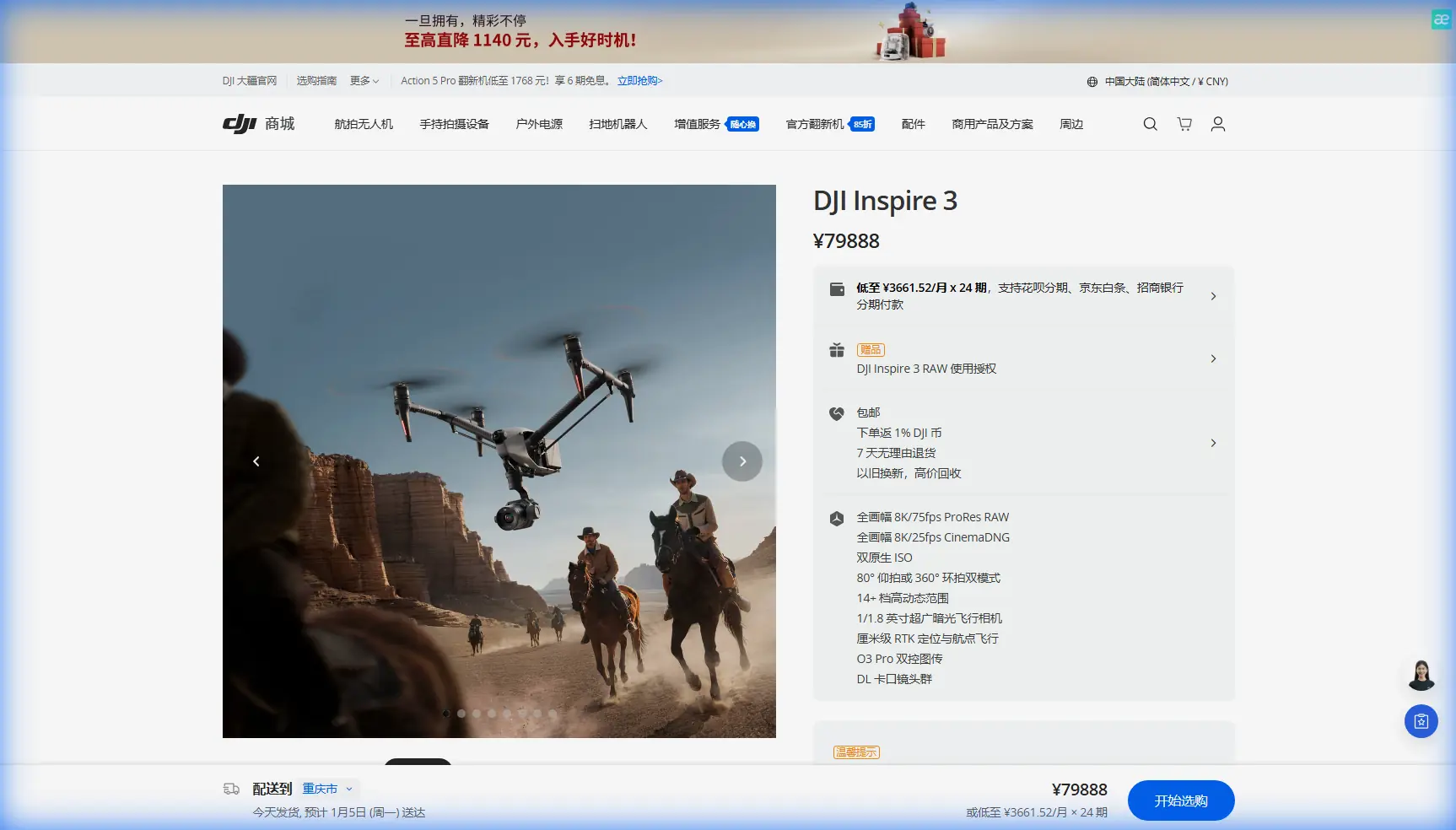
Inspire 3 for Dusty Wildlife Shoots: What Actually Matters in the Field
META: A technical review of DJI Inspire 3 for filming wildlife in dusty environments, with practical advice on O3 transmission, antenna positioning, hot-swap batteries, lens workflow, and field reliability.
Dust changes the way you judge a drone.
On a clean set, most aircraft can look impressive. In dry grassland, desert edges, open plains, and animal reserves with powder-fine soil, the test is different. Dust gets into landing zones, hangs in the air during low passes, softens contrast, interferes with visual judgment, and punishes every weak point in your workflow. If your subject is wildlife, the margin tightens again. You may get one clean movement from a herd, one crossing at sunrise, one lift-off from a ridge line, and then the moment is gone.
That is where the Inspire 3 becomes interesting—not because it is simply “high end,” but because its design solves several real production problems at once.
I’m approaching this as a field review for operators filming wildlife in dusty conditions, not as a brochure rewrite. The central question is simple: does the Inspire 3 help you get the shot reliably, without wasting battery cycles, delaying crews, or compromising image integrity when the environment is working against you?
The Inspire 3’s value starts before takeoff
The biggest operational advantage of the Inspire 3 is not one isolated spec. It is the way the aircraft packages camera movement, image quality, transmission stability, and turnaround speed into one platform that still feels purpose-built for cinema work.
For wildlife crews, that matters because the bottleneck usually is not “can this drone fly?” The bottleneck is whether it can be deployed fast, framed accurately, kept clean enough to operate safely, and repositioned without breaking the production rhythm.
The Inspire 3’s dual battery architecture with hot-swap support is a perfect example. Hot-swap batteries sound like a convenience feature until you are parked beside a dusty track waiting for a second animal movement window. Being able to replace packs without fully powering down the aircraft reduces interruption between sorties and shortens the reset time for the crew. In wildlife work, that is not cosmetic. It can be the difference between catching the repeat movement and watching your subject disappear into brush while your platform reboots and reacquires.
That workflow gain becomes even more valuable in dust because every extra landing, restart, and idle minute increases contamination risk. Faster turnaround means fewer unnecessary handling cycles on the ground.
Why O3 transmission matters more in dust than people expect
A lot of drone reviews mention transmission range as if it were only about headline distance. In the field, especially around wildlife habitat, distance is only part of the story. Signal quality, monitor confidence, and control stability matter more than abstract maximum range.
The Inspire 3 uses O3 transmission, and for dusty wildlife shoots, that has direct significance. Dust can flatten visual cues in the air. Heat shimmer can distort your horizon line. Backlit particles can make it harder to judge exact aircraft orientation from visual observation alone. A stable, low-latency transmission link gives the pilot and camera operator a more trustworthy picture when ambient conditions are reducing clarity.
That becomes critical when you are trying to maintain respectful stand-off distance from wildlife while still executing a precise move. You want to stay far enough away to avoid disturbance, but not so far that framing becomes guesswork. O3 helps preserve that middle ground.
If your production also involves protected footage handling, the platform’s AES-256 capability deserves mention. For typical wildlife filmmaking this is not always the deciding factor, but for productions working under embargo, sensitive location access rules, or unreleased documentary schedules, secure transmission can be operationally relevant. It is one less weak point in a professional pipeline.
Antenna positioning advice for maximum range
This is one of those topics operators often treat casually until they lose confidence at the exact wrong moment.
If you want the best practical range and the most stable O3 link on the Inspire 3, antenna orientation needs to be intentional. Do not point the antenna tips directly at the aircraft. That is a common mistake. The strongest part of the signal pattern is generally broadside to the antenna surfaces, not off the ends.
In practice:
- Keep the controller antennas oriented so their flat faces are presented toward the aircraft’s position.
- As the drone climbs overhead, adjust your body position rather than sharply tilting the antennas into a dead-angle relationship.
- Avoid standing next to vehicles, metal fencing, field generators, or elevated camera rigs that can create local interference or partial blockage.
- If you are working from a hide, blind, or support vehicle, step into a clearer line of sight before launch and maintain that line during the main shot.
- In rolling terrain, remember that signal quality can drop well before you think you are “far away” if the drone slips behind low ridges or tree lines.
This matters in wildlife filming because you often cannot reposition freely once the subject is moving. If the antennas are set correctly from the start, you reduce the chance of transmission degradation right when the scene becomes usable.
For crews building longer-range visual workflows or evaluating regulated corridor operations, it is also worth separating marketing chatter from legal reality. BVLOS is a regulatory and operational framework, not a feature you casually “turn on.” Even with a robust transmission system, wildlife filming should remain aligned with local flight rules, habitat restrictions, observer requirements, and ethical stand-off practices.
Dust changes takeoff and landing strategy
The Inspire 3 is capable, but no aircraft is immune to bad dust discipline.
Wildlife operators often focus on in-air behavior and forget that the most contamination happens at the ground interface. In dusty environments, low-level rotor wash can throw abrasive material upward during both launch and recovery. That affects motors, gimbal surfaces, lens changes, connectors, and battery contacts.
The practical fix is not glamorous:
- Use a landing pad large enough to keep the aircraft clear of loose grit.
- If the ground is extremely fine or powdery, hand-launch and hand-catch are not an automatic solution for a cinema platform; they introduce their own risk. A prepared launch zone is usually the better answer.
- Avoid lingering in hover near ground level unless necessary.
- Land, power through your battery swap efficiently, and get the aircraft protected again.
- Clean external surfaces with discipline between sorties instead of waiting until the end of the day.
Because the Inspire 3 is often paired with high-resolution glass and serious production expectations, dust control is really image protection. Fine particulate on filters or front elements may not be obvious on a bright field monitor, then becomes painfully visible once back in grading.
Image quality is only useful if the aircraft lets you use it calmly
The Inspire 3 gets attention for its imaging system for good reason. But in wildlife work, image quality is not just about sharpness or dynamic range. It is about whether the aircraft gives enough confidence for controlled movement under pressure.
That confidence comes from the combination of a professional airframe and a camera system designed for real cinematography rather than casual aerial capture. When an operator is tracking animals moving unpredictably across dusty terrain, the aircraft needs to feel stable, predictable, and responsive without encouraging aggressive proximity. The Inspire 3 supports that style of work well. It is at its best when you use it to create composed, observant motion rather than to chase.
Dust itself can also alter your visual plan. In hard dry light, airborne particles often reveal depth beautifully on longer lateral moves and backlit passes. The Inspire 3’s cinema-oriented workflow rewards those choices because you can build a sequence around atmospheric layers instead of trying to overpower the environment with intrusive flight.
Don’t force non-cinema buzzwords onto a cinema drone
Some search terms orbit every UAV article whether they belong there or not. A few deserve a reality check here.
Take photogrammetry and GCP workflows. Yes, those concepts matter enormously in mapping and surveying. But for an Inspire 3 wildlife shoot, they are peripheral at best. If a production is collecting terrain references for location planning, set extension, or environmental documentation, then ground control points and photogrammetric capture may have a supporting role. They are not the core story of this aircraft in this use case.
The same goes for thermal signature discussions. Wildlife teams do sometimes use thermal tools in broader civilian conservation, rescue, or habitat observation contexts. But the Inspire 3 is fundamentally a cinema platform. If your project needs thermal sensing as a primary mission payload, you should assess that requirement separately rather than pretending every premium drone should cover every discipline.
The operational lesson is simple: use the Inspire 3 for what it is exceptionally good at—high-end aerial cinematography with a production-grade workflow—and build your kit around that truth.
Working distance, ethics, and animal behavior
The drone can do more than your ethics should allow.
That is not a criticism of the platform. It is a reminder that wildlife filming demands restraint. O3 transmission and a stable image pipeline make it easier to hold useful framing from a respectful distance. Use that advantage. The best wildlife aerials often come from understanding movement patterns, wind direction, light angle, and escape routes before the aircraft ever launches.
If dust is present, the need for respectful distance increases. Rotor wash can disturb loose ground cover, create visual agitation, and add stress to already alert animals. The Inspire 3 gives you enough control authority and imaging confidence to work farther out than many smaller, less precise systems. That is exactly how it should be used.
Field workflow tips specific to the Inspire 3
A few habits make a disproportionate difference:
1. Build your battery rhythm around animal behavior
Because the Inspire 3 supports hot-swap batteries, do not wait until the obvious “last minute” to rotate packs. Time swaps around known movement windows, not around convenience.
2. Treat the transmission link as part of the shot design
Before launch, identify your likely headings, orbit sides, and altitude changes. Then set your antenna orientation and pilot position for that path, not for a random default stance.
3. Keep lens handling disciplined
Dusty wildlife locations are terrible places for casual lens changes. Decide your focal strategy before heading into the active shooting zone.
4. Use altitude to reduce disturbance, then refine with composition
The Inspire 3 gives you the image quality to frame elegantly without pushing too close. Let the camera do some of the work that reckless proximity would otherwise try to solve.
5. Plan your landing site as carefully as your shot path
A strong sortie can be ruined by a sloppy dust-heavy recovery.
Is the Inspire 3 the right choice for dusty wildlife filming?
If your priority is serious aerial wildlife cinematography and you need a platform that supports deliberate camera work, dependable transmission, and professional turnaround in difficult field conditions, the Inspire 3 makes a strong case for itself.
Not because it ignores the realities of dust, but because it helps you manage them.
The hot-swap battery workflow reduces dead time and unnecessary handling. O3 transmission improves confidence when visual conditions are compromised by haze, backscatter, or terrain. Proper antenna positioning can materially improve link reliability in the exact sort of open, uneven landscapes where wildlife stories are often filmed. And the aircraft’s cinema-first design means that when the moment arrives, you are operating a tool built for image-making, not trying to force a general-purpose drone into a specialist role.
If you are planning a specific production setup and want to compare field workflows, permits, or lens choices, you can message the flight team directly here.
The Inspire 3 is not a desert toy, and it is not a mapping compromise dressed up as a film rig. In dusty wildlife environments, it earns its place when the crew respects the conditions, flies with discipline, and uses its strengths where they count: transmission integrity, efficient power management, and controlled cinematic execution.
Ready for your own Inspire 3? Contact our team for expert consultation.