
Inspire 3 for Windy Highway Mapping: A Practical Case Study
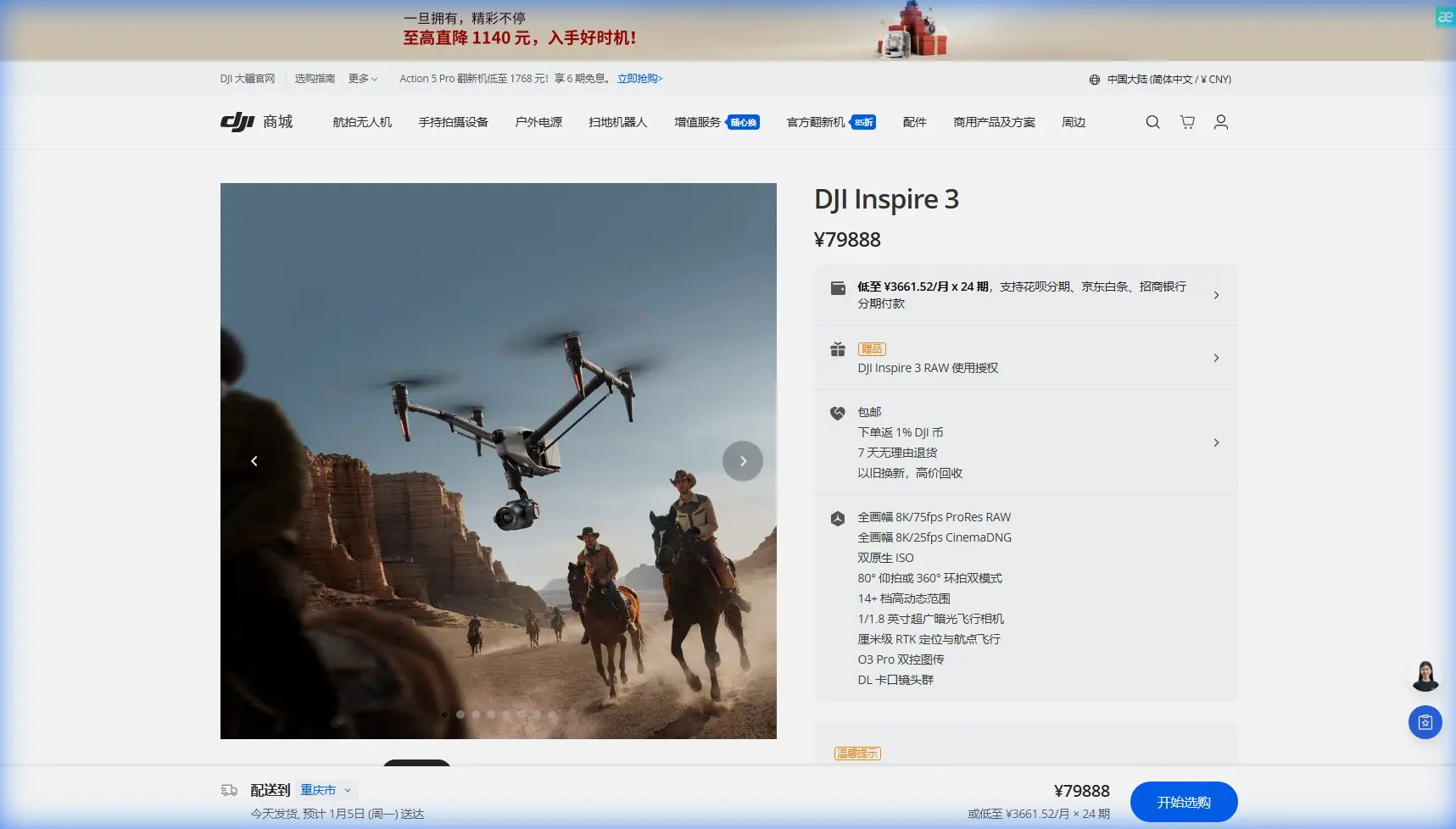
Inspire 3 for Windy Highway Mapping: A Practical Case Study from the Field
META: Expert case study on using DJI Inspire 3 for windy highway mapping, including flight altitude strategy, photogrammetry workflow, O3 transmission, hot-swap batteries, and operational planning.
Highway mapping looks simple from the shoulder. Long lines, open sky, easy access. In practice, it is one of the more demanding environments for a drone crew, especially when the corridor is exposed and the wind never really settles.
This is where the Inspire 3 becomes interesting.
Most people associate the platform with cinema first, and for good reason. Even a short reference point from the drone film world makes that obvious: a nighttime ski-slope run, captured by Frederic Rousseau, was strong enough to earn a nomination at the New York City Drone Film Festival back in 2017. That detail matters more than it may seem. A drone able to produce stable, visually coherent footage in a low-light, high-contrast, fast-moving environment is built on the same foundation that supports disciplined corridor documentation: precise motion control, dependable transmission, and confidence in the aircraft when the scene is not forgiving.
For a highway mapping team working in wind, those traits are not artistic luxuries. They are operational requirements.
The mission profile: long asphalt, crosswinds, and repeatability
Let’s ground this in a real use case.
A survey and asset-inspection team needs to map a multi-kilometer highway segment. The brief includes:
- photogrammetry for surface and corridor modeling
- shoulder, median, barrier, and drainage documentation
- repeatable passes over several workdays
- windy conditions across open terrain
- traffic management constraints limiting setup time
The obvious question is whether Inspire 3 is the right tool for mapping at all.
If the job is pure high-volume survey, dedicated mapping platforms may carry the workload more efficiently. But not every corridor project is pure survey. Some contracts blend engineering visuals, progress documentation, inspection imagery, thermal signature review for adjacent infrastructure, stakeholder presentation footage, and high-quality orthographic capture in one deployment. That is where Inspire 3 earns its place. It is not just collecting data; it is collecting usable, presentation-grade, analytically consistent data in a difficult environment.
Why wind changes the whole plan
Highway mapping in calm air is mostly about overlap, exposure, and control points. In wind, flight geometry becomes the real story.
The exposed nature of highways creates uneven airflow. Embankments, trucks, sound walls, overpasses, and cut sections all distort the airstream. The result is not just a stronger breeze. It is a less predictable one. That affects:
- image consistency
- ground speed stability
- overlap accuracy
- battery timing
- return-to-home margins
- pilot workload
With Inspire 3, that means the operator should not think only in terms of “Can it fly?” The better question is “At what altitude does the aircraft produce the cleanest mapping outcome while preserving corridor detail?”
That altitude is rarely the maximum detail setting the team starts with on paper.
My preferred altitude logic for windy highway corridors
For this scenario, I generally like to start planning in a moderate band rather than flying too low. On open highway work, a low pass can feel attractive because it boosts ground detail and reduces pixel size. In wind, it often creates a worse result.
Here is the practical reason.
At lower altitude, the aircraft is more affected by turbulence generated by roadside features and moving vehicles. That micro-instability shows up in yaw corrections, tiny lateral deviations, and inconsistent overlap. Photogrammetry software can tolerate a lot, but highway corridors punish inconsistency because the geometry is long and narrow. Small errors accumulate.
A better approach is often to fly high enough to get above the roughest near-surface disturbance while still preserving the resolution needed for the deliverable. For many highway sections, that means treating altitude as a stability tool, not just a resolution variable.
If I were advising an Inspire 3 crew in windy conditions, I would typically evaluate a primary mapping band around 60 to 90 meters above ground level, then refine from there based on required GSD, lane-marking needs, and the severity of the crosswind. In many cases, the sweet spot lands around 75 meters AGL. That height often reduces the chaotic air found closer to traffic and roadside structures while still delivering strong photogrammetry performance when overlap is set correctly and GCPs are in place.
That 75-meter insight is not universal. It is a starting point. But it is a very good one for windy highway work because it balances three competing factors:
- a cleaner air mass
- usable ground resolution
- more repeatable track-holding across long passes
For readers focused on pure output quality, repeatability usually beats theoretical maximum sharpness.
O3 transmission matters more on highways than in many other jobs
Corridor missions can stretch the pilot’s situational discipline. Even when the operation remains within legal visual limits, the work pattern often involves repeated outbound legs, visual compression caused by straight geometry, and frequent repositioning.
That is why O3 transmission is not a spec-sheet side note here.
Reliable live feed quality helps the crew verify lane-edge continuity, roadside asset visibility, shoulder condition, and traffic-related interruptions in real time. It also reduces the temptation to fly lower than necessary “just to see better.” That temptation is one of the more common mistakes in windy mapping jobs. A strong transmission link gives the crew enough visual confidence to maintain a smarter, more stable altitude profile.
If the project includes sensitive infrastructure or client confidentiality, AES-256 support also has operational significance. Highway work often intersects with construction phasing, utility corridors, or restricted project data. Secure transmission is not just an IT talking point. It can be part of contract compliance and client assurance.
The overlooked advantage of a cinema platform in mapping work
This is where that drone film festival reference becomes useful again.
A nominated nighttime ski-slope sequence is not relevant because highway teams want dramatic footage. It is relevant because it demonstrates what good aerial systems do under difficult visual conditions: they maintain composure. Motion remains readable. The aircraft platform supports the operator instead of fighting them.
That same behavior helps when mapping asphalt in flat light, shooting over reflective surfaces, or capturing long uniform textures that can make it hard for pilots to judge drift. Highways are visually repetitive. Repetitive scenes expose small handling weaknesses fast.
Inspire 3’s value in this context is not that it turns surveyors into filmmakers. It is that a platform developed for demanding image control can produce more coherent capture when the environment is trying to pull the aircraft off rhythm.
Photogrammetry workflow: what actually changes in the wind
On paper, the workflow still looks familiar:
- establish GCPs
- define corridor bounds
- set overlap
- plan flight lines
- capture nadir and any needed obliques
- process and validate
But windy conditions require a few adjustments.
1. Increase overlap beyond your calm-weather default
A corridor is unforgiving when image spacing varies. If wind is active, I prefer building in overlap margin from the start rather than hoping software repairs gaps later. That extra buffer helps preserve tie point quality when ground speed fluctuates on opposing legs.
2. Use GCPs strategically, not cosmetically
GCP placement on highways should support the corridor geometry, not simply tick a compliance box. Long linear jobs benefit from distributed control that anchors the model along its entire length. Wind makes this even more important. If the aircraft experiences subtle lateral drift over repeated passes, robust control helps keep the final reconstruction honest.
3. Break the mission into logical sections
An all-in-one corridor plan may look efficient, but battery changes, traffic events, and gust variation can create uneven datasets. Segmenting the highway into manageable blocks improves consistency and makes reflight decisions much easier.
4. Watch for heat-related visual distortion
If the mission expands into thermal signature review of pavement edges, utility boxes, or adjacent infrastructure, midday heat shimmer can degrade visible-light mapping quality while also complicating thermal interpretation. Time-of-day discipline matters.
Hot-swap batteries are a workflow tool, not just a convenience
For highway jobs, setup interruptions are expensive. Traffic management windows, lane closures, safety briefings, and spotter coordination all compress available flight time.
That is why hot-swap batteries matter operationally.
On a corridor mission, the ability to keep the aircraft powered during battery changes helps preserve momentum. The crew can swap faster, resume more predictably, and reduce the dead time that often causes teams to rush the next sortie. Rushed sorties create bad data. Bad data creates return visits. Return visits on highways are where profit disappears.
This matters even more in wind because battery planning must be conservative. The return leg against a headwind can consume more reserve than crews expect, especially on long straight segments where distance psychologically feels shorter than it really is.
Mechanical precision still matters, even if nobody talks about it
One of the reference documents in your source set is not about drones at all. It deals with aircraft mechanical fit classes, including distinctions between clearance, transition, and interference fits, and notes categories such as LC, LT, LN, and FN. On the surface, that seems disconnected from Inspire 3 highway mapping.
It is not.
The operational significance is simple: precision assemblies behave differently under vibration, repeated transport, and changing field conditions. Standards-based fit selection in aerospace hardware exists because alignment, retention, and serviceability all matter. A mapping drone that is assembled, packed, redeployed, and flown in gusty conditions depends on that same engineering philosophy. Not every fit should be tight enough to resist every force forever; some components must also allow accurate positioning and repeatable maintenance.
That old handbook distinction between easy-to-remove locating fits and tighter non-removable interference fits captures a truth every field crew learns eventually: reliability comes from choosing the right kind of precision, not just the greatest amount of stiffness. For Inspire 3 users, that translates into confidence in repeat setup, gimbal alignment, and overall aircraft consistency across a multi-day corridor job.
A note on oxygen-system engineering, and why it still tells us something useful
Another source document references passenger oxygen-system design in civil aviation, including target oxygen partial pressure values such as 13332 Pa under specified conditions and the use of altitude-dependent demand curves. Again, not a drone document. Still useful.
Why? Because it reflects a classic aerospace mindset: define the operating environment numerically, identify the variables that matter, build curves instead of assumptions, and include a safety margin. That is exactly how competent Inspire 3 teams should approach windy highway mapping.
Do not rely on vague judgments like “the wind feels manageable.”
Build your own operational curve:
- altitude versus stability
- ground speed versus overlap reliability
- battery consumption versus headwind component
- image quality versus sun angle
- reflight rate versus mission segmentation
The oxygen-system handbook treats altitude as a variable that changes system demand. Highway mapping crews should do the same. Altitude does not just change image scale. It changes the aircraft’s relationship to turbulence, traffic wake effects, and pilot workload. Once teams start plotting that relationship intentionally, mission quality improves fast.
BVLOS talk misses the real issue
Some teams immediately jump to BVLOS when they think about highway corridors. In many projects, that is not the first problem to solve.
The first problem is data quality under operational stress.
A legal and well-managed visual-line-of-sight workflow with carefully planned leapfrog positions, smart sectioning, and disciplined battery rotation often produces better deliverables than a loosely structured long-range concept. If the job later evolves into a BVLOS-capable operation under the right approvals and safety case, fine. But do not let range planning distract from the fundamentals that actually determine whether the orthomosaic and 3D reconstruction hold up.
What I would do on day one
If I were leading the Inspire 3 portion of a windy highway mapping deployment, my first-day sequence would be straightforward:
- establish GCPs across a limited test segment
- run a short altitude comparison, for example 60 m, 75 m, and 90 m AGL
- compare overlap consistency and edge definition
- review wind effect on opposing legs
- lock the day’s standard altitude based on actual stability, not preference
- segment the corridor into battery-efficient blocks
- preserve extra reserve for headwind returns
In a surprising number of cases, that evaluation confirms the same thing: the “middle” altitude wins.
Not because it is dramatic. Because it works.
Final takeaway
Inspire 3 is at its best on windy highway mapping jobs when you stop treating it like a camera that happens to fly and start treating it like an aerial system that happens to produce exceptional imagery.
The platform’s cinematic heritage is not a distraction from corridor work. It is part of why the aircraft can remain composed in demanding conditions. The 2017 drone film festival nomination tied to Frederic Rousseau’s night ski-slope run is a small but telling reminder of that lineage. Stable capture under pressure has always been the real differentiator.
Pair that with disciplined photogrammetry, well-placed GCPs, secure O3/AES-256 operations, and smart use of hot-swap batteries, and the Inspire 3 becomes more than a beautiful image machine. It becomes a practical tool for corridor teams that need clean outputs in weather that refuses to cooperate.
If you want help pressure-testing your altitude plan or corridor workflow for an upcoming Inspire 3 job, you can message an Inspire 3 workflow specialist here.
Ready for your own Inspire 3? Contact our team for expert consultation.