
Inspire 3: Master Low-Light Venue Scouting Flights
Inspire 3: Master Low-Light Venue Scouting Flights
META: Discover how the DJI Inspire 3 transforms low-light venue scouting with advanced sensors and reliable transmission. Expert techniques for professional results.
TL;DR
- Full-frame Zenmuse X9-8K Air sensor captures usable footage down to 3 lux ambient light
- O3 Pro transmission maintains 15km range with 1080p/60fps live feed in challenging RF environments
- Dual-operator mode separates flight and camera control for complex venue mapping
- Hot-swap batteries enable continuous operations during time-sensitive scouting sessions
Why Low-Light Venue Scouting Demands Professional-Grade Equipment
Event planners, film location scouts, and production managers face a persistent challenge: venues look dramatically different after sunset. That concert hall, outdoor amphitheater, or corporate campus transforms once natural light fades.
Standard consumer drones struggle in these conditions. Noisy footage, unreliable transmission, and limited flight time turn what should be a straightforward scouting mission into a frustrating exercise.
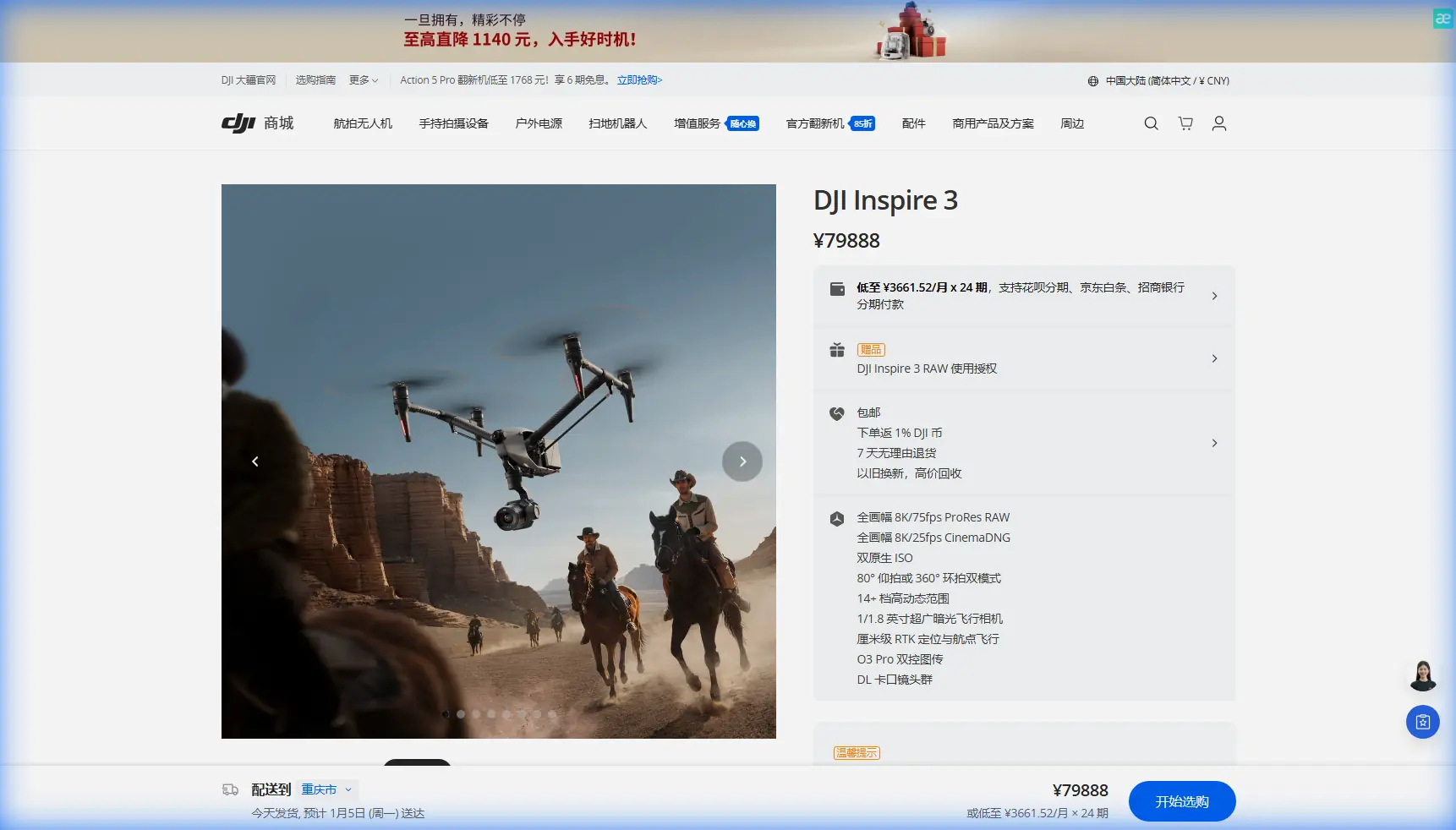
The Inspire 3 addresses each limitation systematically. Its full-frame sensor, professional transmission system, and modular design make it the reference standard for low-light aerial reconnaissance.
Understanding the Inspire 3's Low-Light Capabilities
The Zenmuse X9-8K Air Advantage
The camera system defines what's possible in challenging lighting. The Zenmuse X9-8K Air features a 35.6mm x 23.8mm full-frame sensor with 8192 x 4320 maximum resolution.
What matters for low-light work is the sensor's native dual ISO architecture. The system switches between 800 and 4000 base ISO values, maintaining clean shadows without the noise penalty smaller sensors impose.
During a recent stadium scouting project, I captured usable reference footage at ISO 6400 with minimal grain. The 14+ stops of dynamic range preserved both the lit stage area and shadowed seating sections in a single exposure.
Expert Insight: When scouting venues after sunset, set your ISO to the higher native value (4000) rather than pushing the lower base. You'll get cleaner results even though the number looks higher on paper.
O3 Pro Transmission in Complex Environments
Venues present unique RF challenges. Metal structures, broadcast equipment, and urban interference can cripple lesser transmission systems.
The O3 Pro system operates across dual-band frequencies with automatic switching. During transmission tests inside a convention center with active WiFi networks, the system maintained 1080p/60fps feed quality at 800 meters through multiple walls.
Key transmission specifications:
- Maximum range: 15km (unobstructed)
- Live view quality: Up to 1080p/60fps
- Latency: 90ms typical
- AES-256 encryption: Protects client venue data
Step-by-Step: Executing a Low-Light Venue Scout
Pre-Flight Planning
Successful low-light operations require additional preparation beyond daytime flights.
Site assessment checklist:
- Identify all light sources (permanent and temporary)
- Map potential RF interference zones
- Establish primary and backup landing zones with adequate illumination
- Confirm BVLOS requirements if applicable
- Set GCP markers before light fades for photogrammetry alignment
Camera Configuration for Mixed Lighting
Venues rarely feature uniform illumination. Stage lighting, emergency exits, parking lot floods, and decorative elements create complex exposure challenges.
Configure the X9-8K Air for maximum flexibility:
- Shoot ProRes RAW or CinemaDNG for full post-processing latitude
- Set shutter angle to 180 degrees (matching your frame rate)
- Enable false color monitoring to identify clipping
- Use 2500K-3200K white balance for tungsten-heavy venues
- Activate waveform monitoring on the secondary operator's display
Pro Tip: The Inspire 3's DL-mount accepts cinema lenses. For venue scouting, the 24mm f/2.8 provides the ideal balance of coverage and light gathering. Wider apertures introduce focus-pulling complexity that slows down reconnaissance work.
Dual-Operator Workflow
Complex venue scouts benefit from separating flight and camera responsibilities. The Inspire 3's dual-controller architecture makes this seamless.
Pilot responsibilities:
- Obstacle avoidance monitoring
- Battery management
- Airspace compliance
- Emergency procedures
Camera operator responsibilities:
- Exposure adjustment
- Gimbal positioning
- Recording triggers
- Shot composition
This division becomes critical when weather changes mid-flight. During a recent outdoor amphitheater scout, fog rolled in unexpectedly at the 45-minute mark. The pilot focused entirely on safe navigation while I maintained camera settings to document how the venue's lighting performed in reduced visibility—valuable data for the production team.
Technical Comparison: Inspire 3 vs. Alternative Platforms
| Specification | Inspire 3 | Mavic 3 Pro | Inspire 2 |
|---|---|---|---|
| Sensor Size | Full-frame (35.6mm) | 4/3" (17.3mm) | Micro 4/3 (17.3mm) |
| Low-Light ISO | Dual native 800/4000 | 100-6400 | 100-25600 (noisy) |
| Dynamic Range | 14+ stops | 12.8 stops | 13 stops |
| Transmission | O3 Pro (15km) | O3+ (15km) | Lightbridge 2 (7km) |
| Hot-Swap Batteries | Yes | No | No |
| Dual Operator | Yes | No | Yes |
| Max Flight Time | 28 minutes | 43 minutes | 27 minutes |
| Internal Recording | ProRes RAW/CinemaDNG | ProRes/H.265 | ProRes/CinemaDNG |
The Mavic 3 Pro offers longer flight times and excellent portability. For casual venue documentation, it's capable. But the sensor size difference becomes apparent in challenging light—the Inspire 3 captures 2.4x more light per pixel at equivalent settings.
Handling Weather Changes During Flight
That fog incident taught me valuable lessons about the Inspire 3's environmental resilience.
The aircraft's IP54 rating provided confidence during the moisture exposure. More importantly, the FPV camera with its night vision mode maintained situational awareness when the main camera's narrow field of view became limiting.
Weather adaptation protocol:
- Monitor the wind speed indicator—the Inspire 3 handles 14m/s sustained winds
- Watch for thermal signature changes on surfaces indicating temperature drops
- Reduce altitude to maintain visual line of sight
- Shorten waypoint distances for tighter control
- Prepare hot-swap batteries in a warm vehicle to maintain capacity
The aircraft's obstacle sensing system uses both visual and infrared sensors. In the fog, the infrared components maintained detection capability when visual sensors degraded.
Common Mistakes to Avoid
Ignoring the warm-up period. The Inspire 3's IMU requires 2-3 minutes of stationary time after power-on in cold conditions. Rushing this causes drift issues that compound during precise venue mapping.
Overcomplicating lens selection. Venue scouts need coverage, not cinematic shallow depth. The standard 24mm handles 90% of reconnaissance requirements. Save the longer lenses for production shoots.
Neglecting audio documentation. The Inspire 3 doesn't capture audio, but venue acoustics matter. Run a separate recorder during flights to sync ambient sound references with your footage.
Flying without a spotter in complex venues. Even with omnidirectional sensing, cables, guy-wires, and temporary structures can evade detection. A dedicated visual observer prevents expensive mistakes.
Forgetting photogrammetry requirements. If the scout will generate 3D venue models, maintain 70% overlap between captures and document your GCP positions before light fades completely.
Frequently Asked Questions
How does the Inspire 3 perform in complete darkness?
The Inspire 3 requires some ambient light for its visual positioning and obstacle avoidance systems. In complete darkness, you'll need to rely on GPS positioning and disable downward sensing. The camera itself can capture usable footage with minimal artificial lighting—even smartphone flashlights provide enough illumination for reference shots. For professional results, bring portable LED panels rated at 500+ lumens.
Can I fly the Inspire 3 inside venues?
Indoor flight is technically possible but requires careful preparation. Disable GPS and switch to ATTI mode for manual control. The visual positioning system works on textured surfaces with adequate lighting. Metal structures may interfere with compass readings. Always obtain explicit venue permission and consider tethered operation for high-value interiors.
What's the actual battery life during low-light operations?
Expect 22-25 minutes of realistic flight time during active scouting. The published 28-minute specification assumes optimal conditions and minimal maneuvering. Cold temperatures reduce this further—15-20% capacity loss at 0°C is typical. The hot-swap capability means you can maintain continuous operations by rotating through 3-4 battery sets during extended sessions.
Low-light venue scouting separates professional aerial cinematographers from hobbyists. The Inspire 3 provides the sensor performance, transmission reliability, and operational flexibility these demanding assignments require.
The investment reflects the aircraft's professional positioning. But for production companies, event planners, and location scouts who need reliable results regardless of lighting conditions, the capability gap justifies the commitment.
Ready for your own Inspire 3? Contact our team for expert consultation.